Meet Jupiter X v1.0.3! Blog, Menu and Popup Mega Features Are Added!

Is everyone back from the holidays? If you’re back at work like us, I’m going to kick off your year with great news about Jupiter X WordPress theme.

Just in the last days of 2018 when you’re preparing for your new year celebrations, our team was hard at work to deliver the last Jupiter X update release in 2018: Jupiter X v1.0.3.

Let’s see what’s important about it!

Jupiter X v1.0.3 introduces various improvements, additions, and fixes. You can see the detailed update log here, but I’m going to give you a glimpse of the most important feature added in this version:

  • Jet Menu
  • Jet Blog
  • Jet Popup

As you can guess from names, these features are related to menu, blog, and popup. But let’s have a closer look at each to better understand their capabilities.

Build professional blogs with JetBlog

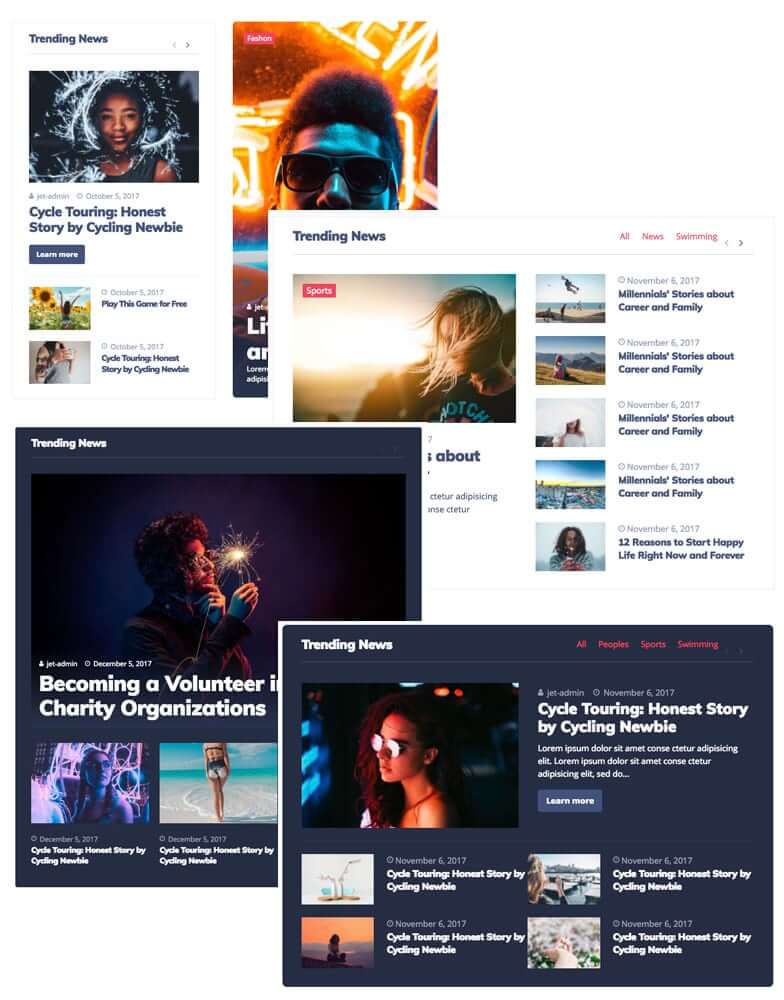
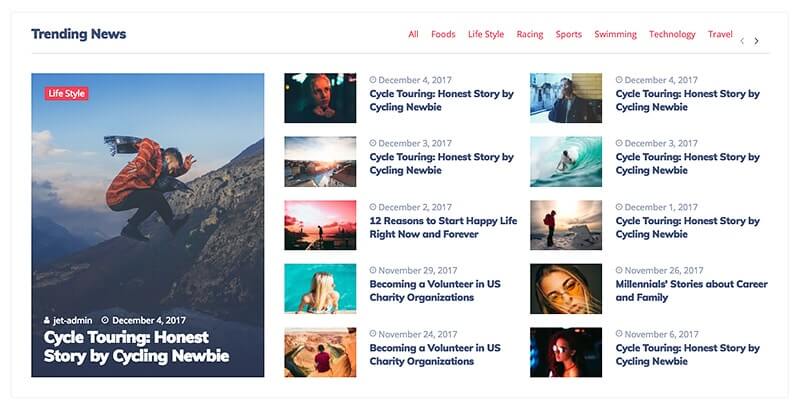
JetBlog is a plugin that allows you to display Blog posts with different layouts using different dynamic modules such as Smart Tiles, Text Tickers, Video Playlists, Smart Posts List.

All these modules can be added on the page built with Elementor (so make sure Elementor plugin is installed).

Using JetBlog, you can:

  • Stylize the content appearance to match the general webpage style
  • Customize the module backgrounds, layouts, and responsiveness
  • Add borders
  • Apply shadows
  • Change typography
  • And more

There are many other options to discover for each of the content modules. Let’s describe every module for more information.

Smart Posts List

Smart Posts List widget displays your posts in the form of neat content blocks. You can change the listing max-width, featured post position, and image size. You can also stylize post excerpts and meta information without ever touching a single line of code.

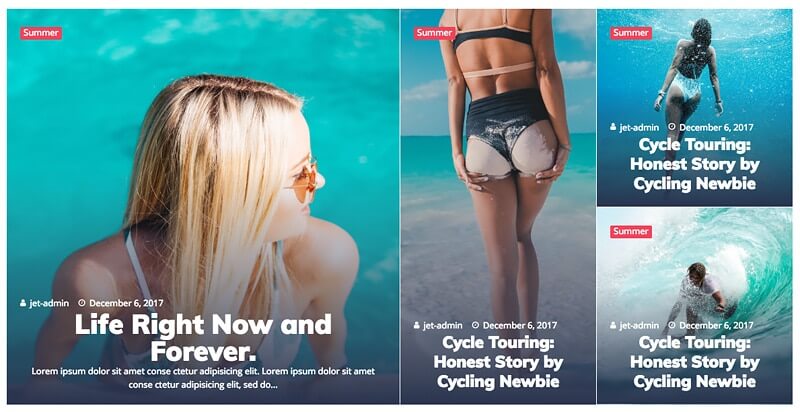
Smart Post Tiles

Smart Post Tiles widget allows you to add posts to the website’s page in the form of an eye-catching tiles block. It has different style settings, allowing you to add a gap between boxes, create box overlays, and change the content appearance and meta information. It also has six pre-built layouts that will help you showcase your posts in a totally advantageous way.

Text Ticker

Text Ticker widget adds a captivating ticker content module to your website’s page while displaying the recent and most important post titles in order to engage more visitors to read the recent publications.

Video Playlist

Video Playlist widget allows you to add a video playlist to the web page. It’s very helpful if you want to showcase the videos in a stylish way. There are settings that allow changing the style of the thumbnails and scrollbar, as well as the thumbnail numbers or typography.

JetBlog feature will come in very handy for those who want to create a professional-looking blog and news websites. Jet Blog alone gives Jupiter X the capability of a newspaper theme! You can find more information about the JetBlog plugin in their documentation.

Customize your menus with JetMenu

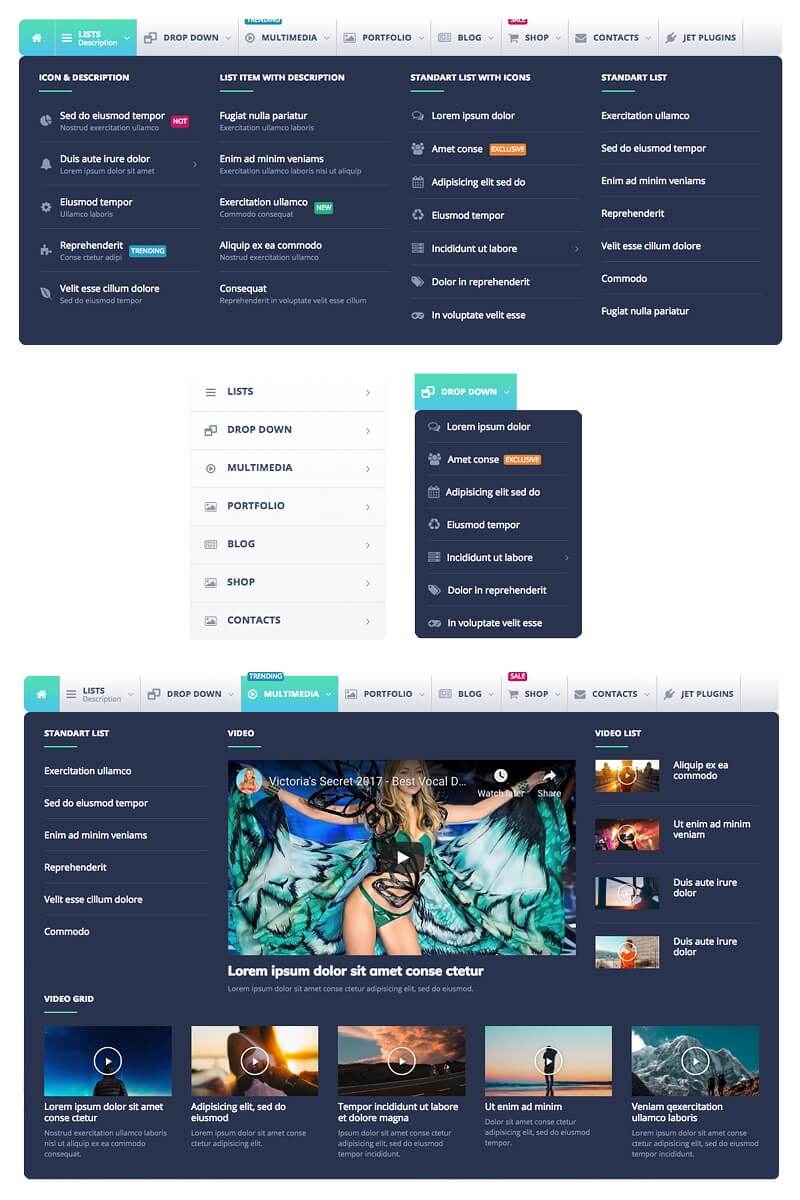
JetMenu is another plugin that lets you create and style up your mega menu. You’ll be able to create content for the menu items and customize its appearance, add menu badges and icons, and change the menu item background.

The plugin works with the Elementor page builder, allowing you to add content to menu items in a drag-and-drop way. You’ll also get Vertical Mega Menu and Mega Menu widgets for Elementor, which lets you add a menu to any page section.

There are also Import and Export settings that allow you to export the JetMenu settings and use them on another site. You should note that in creating a mega menu, you will use the Elementor page builder, and the mega menu will be displayed instead of the submenu items. The default submenu will be disabled as it will be replaced by the Mega Menu content. In effect, you’ll be able to add any Elementor widget to your submenu and create any content you want.

JetMenu is a powerful plugin to customize your menus. Those who run heavy-duty websites with lots of content or e-commerce websites with a lot of product to showcase always make use of menus with rich content. More information about JetMenu plugin can be found in their documentation.

Build effective popups with JetPopup

JetPopup is an add-on for the Elementor page builder. It facilitates the addition of popups to the pages built with Elementor. With JetPopup you’ll be able to create new popups using all widgets available in Elementor. Also, it allows you to add popups to different widgets and its content, set the specific popup triggers, and choose the time when the popup appears on the page.

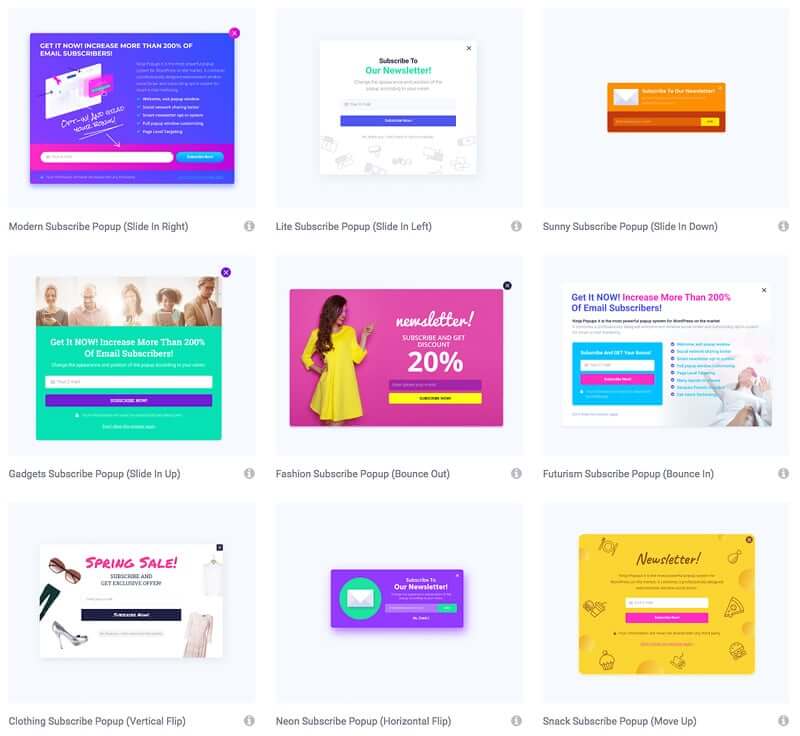
Preset Popup layouts

Another useful option is to select a preset layout. JetPopup plugin provides a variety of default presets that can help in creating popups with specific layouts:

Popup action button

There is also a Popup Action Button widget in Elementor page editor that allows you to create buttons that add Yes/No action to popup templates.

There are different actions you can choose from:

  • Leave Page
  • Close Popup
  • Link
  • Close Constantly

Usually, such buttons are added below the text blocks with questions like, “Are you sure you want to leave this page?”

Preset Popup Templates

What’s great in JetPopup plugin is you can use pre-designed popups from the Popup Library. You can import them and edit according to your needs with Elementor page builder, in the same way, you edit any other page.

There are a lot of other great features of JetPopup plugin like Mailchimp Form Integration, popup templates Export and Import, and Attaching Popups to any widget in Elementor (when you click on a widget or its button, a popup will appear).

JetPopup is most useful for websites that are designed to generate leads or sell products or services. With popups, you’ll facilitate the conversion process and make your website marketer happy! You can investigate other options deeply by reading the JetPopup documentation.

What’s next?

Well, a lot! There’s a lot happening in Artbees labs and more and more features are going to be added to Jupiter X very soon. Expect many brand new templates are going to be added in 2019. In fact, I’d like to share the insider tip that we are aiming to hit 300 templates count in 2019. So Stay tuned for a year packed with improvements, features, and templates and let us know what you think about the Jupiter X v1.0.3 in the comments.😉

Artbees’ Experience of WordCamp Milano: The Culture of Giving in WordPress

Before attending a WordCamp event in person, I always thought WordCamps were where WordPress developers and nerd coders hung out. Also, I was thinking WordCamp was where a genius came on stage to talk about technical matters related to WordPress and the audience clapped for them. This was the case until I attended the WordCamp Europe 2018 in person but the biggest change in my thinking about WordCamp was when I attended WordCamp Milano 2018.

Artbees was lucky to choose WordCamp Milano as the first WordCamp event to sponsor. Rouzbeh and I were representing Artbees at the event. We not only had the chance to showcase our Jupiter X to the Italian community of WordPress and also visit the beautiful city of Milan but also were able to manage to work hand in hand in one of the best WordCamp Contributors days we have ever attended. In this post, I will share with you the insights I’ve collected and how they changed my mind about voluntary work.

Does anyone contribute to WordPress?

Have you ever thought about how WordPress makes money? WordPress is a free platform. You can download, install and use its CMS from wordpress.org to build a website for free so how WordPress pays its bills. Well, you might s with wordpress.com subscriptions, the WordPress VIP service, its sponsors such as GoDaddy, BlueHost and SiteGround or with its plugins such as Jetpack, WooCommerce, Akismet and so on. Well that’s true, but it will surprise you to know that most of the work in WordPress behind and in front of the scene is being done by volunteers (so no bills to pay)!

As you know, WordPress is an open-source publishing platform and thousands of developers from different countries contribute to its codebase for free. All of them are working either for free or they are hired by companies that are built around WordPress. Oh, and by the way, they owe their existence to WordPress; Yoast -the leading SEO plugin for WordPress- is one of those companies that hire developers and puts them in service of WordPress core team to contribute to WordPress codebase.

In addition to the developers who contribute to the WordPress core, there are also volunteer teams called  ‘MakeWordPress Teams’. These teams are organized within different teams such as design, accessibility, mobile, support, documentation, themes, community, plugins and more; where we do lots of pro-bono works related to different parts of the WordPress software, WordPress community and everything in between!

You may have recently downloaded the hot new release of WordPress, Bebo. There is a high chance a particular feature in Gutenberg that you have liked or disliked was made by a contributor. Or for instance, if you have ever attended a WordCamp event, you should be aware that the entire team of organizers of that event are volunteers who work without getting paid. So, in fact, there are many people who contribute to WordPress, there are thousands of people who do it regularly and as part of their lives.

Is contribution to WordPress rewarding?

Yes. Actually, your voluntary work for WordPress can even be more rewarding than your full-time job. Below, I’ll have a look at our experience at WordCamp Milano contributor day and I’ll explain what ways you can get rewarded for the ‘free’ work for WordPress.

You will get a shiny badge on your WordPress.org profile

If you care about resumes, CVs and LinkedIn profiles (which you should!) you know how important it is to list certifications, degrees, achievements, awards, etc. related to your career and how effective they are to win the position you’re after. The good news is that the WordPress foundation will give you one of those shiny badges based on the kind of voluntary work you do for WordPress!

Marketing and Community MakeWordPress Teams Badges

It can be a core team contributor badge, marketing, design, accessibility, mobile or other teams badges that are issued by a prestigious software development company recognized by almost everyone in the software industry. I started my contributions to MakeWordPress Marketing team in WECU 2018, and I continued my contributions after the event as part of my regular life. And, at WordCamp Milano 2018 I was granted my Marketing Contributor badge!

There are hidden people and opportunities you want to discover!

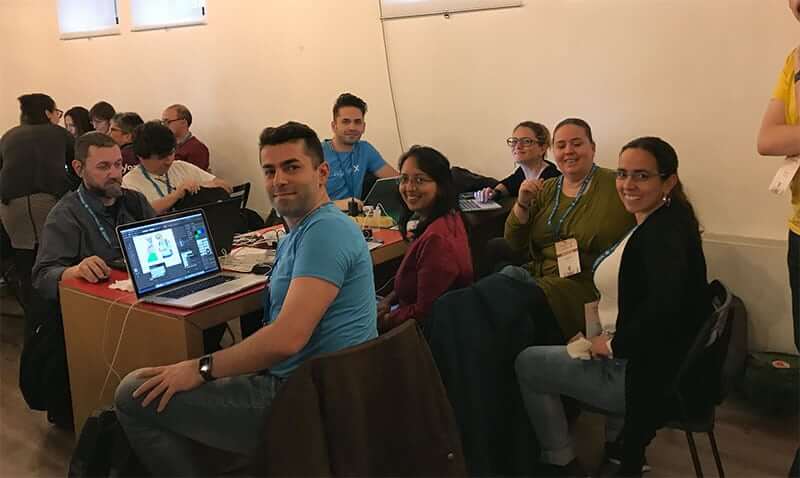
The contributor days are not you sitting behind your laptop, writing code or anything else. It’s people who collaborate on getting things done for a software platform they like.  This is accompanied with a lot of fun, chit-chat, snacks and launch sessions. WordCamp Milano was a great example of this atmosphere. You could see people organized in different team working in maximum harmony. Among these teams, you happen to meet people you would never see outside a WordCamp; a fellow developer, a designer, a blogger, or a marketer.

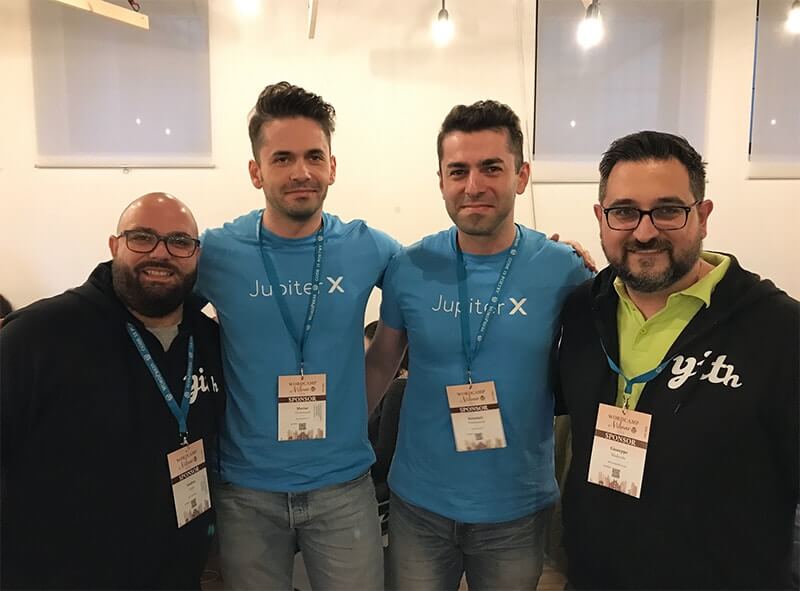
With folks from Yithemes in WordCamp Milano 2018 Contributor day

At WordCamp Milano, we were lucky to catch up with folks from Yithemes– who run some of the most successful WooCommerce plugins in the market. We had a nice chat with Andrea and Giuseppe during the launch session about the state of affairs of the WordPress plugin and theme market, as well as discussing possible collaborations between Yithemes and Artbees. And you know what, that’s already in progress😉, and soon you will see that reflected in both of our products! This is the result of joining a session you know people in your area would join as well, knowing them, talking to them and expanding your networks. 

And that was not all. We happened to see some of the greatest members of the WordPress community there as well. Yes, someone you normally saw in photos next to Matt Mullenweg or wordpress.tv famous talks is sitting right next to you doing the very same job as you do. In the same place, on the same team. During the contributor session at WordCamp Milano, I got to meet Raffaella Isidori, an expert designer and passionate speaker on the marketing contribution team. She is an active part of the community team and a great leader to many on that team.

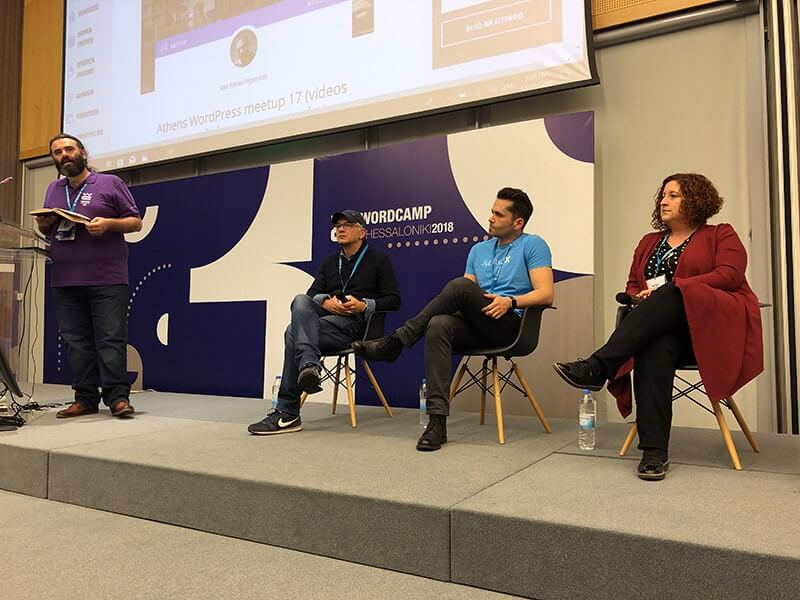
I was lucky to accidentally share the topic I was going to be speaking at WordCamp Thessaloniki a month later, ‘WordPress & Problem of Diversity’ with Raffaella and discovered she had a lot to share related to the topic. She referred me to a couple of people who have relevant experiences and stories regarding diversity. If nothing else, just the tips, ideas and people she openly shared with me made my talk a better and richer one. And to think I would have never known her outside WordCamp Milano 2018 Contributor day!

You will find your next job or missing team member

WordCamps are scenes for people from different areas and different levels of expertise and interests in their fields. There is a high possibility you can find the veteran Javascript developer you were looking for months through LinkedIn (useless!) job ads. There is also a chance you could meet someone who will employ you or connect you to your future job. Unlike many similar tech meetups or events like WebSummit, your ticket tier does not set your chances off from meeting pros and experts at the events.

WordCamps are powered by the bound of their community members to WordPress and its cause. It has a simple working economy, not to sell tickets on different tiers for the sake of more money (again like WebSummit). So chances are, that you can easily spot a legendary developer from Automattic, Yoast or WooCommerce (or Artbees! Just kidding ;)) during the contribution day, event day or after party! And, many entrepreneurs and business runners attend WordCamps to make use of this exact potential.

You learn. You learn a lot!

While working with agile development, design, marketing, community, training, and other teams on WordCamp Contribution days, you are likely to learn a lot of new things in your area. These teams are working under the supervision of leads. They are appointed based on their experience and cutting-edge skillset in their areas and can teach you what you could normally learn working in high-end tech and marketing companies or with very expensive training courses and events (i.e. Smashing Conference). Let me give an example from WordCamp Milano so you may relate better.

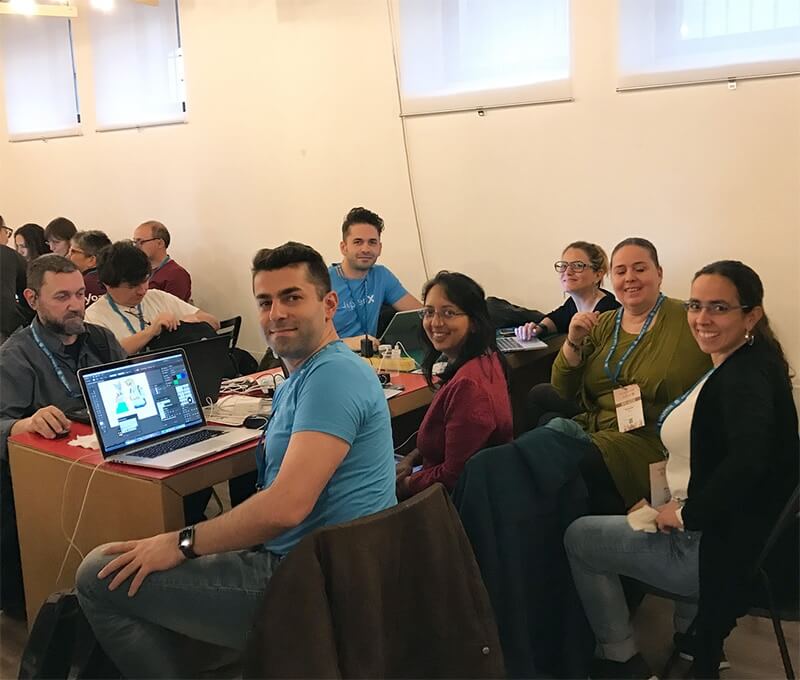
Marketing Team in WordCamp Milano 2018 Contributor day

Being a CMO and driving the marketing wings of my company, I have always had issues working with remote teams on Marketing. I’ve always had (and still have) doubts about how and if marketing teams can be remote? It wasn’t that it had completely changed my mind about the problem, but seeing how the MakeWordPress Marketing team is managing the remote work using a combination of Slack, Trello, protocols and weekly ceremonies started to make me think. And not to mention with dozens of contributors who have not met one another even once, was a bit of inspiration to maybe say that it is possible. At the least, I can understand that there is a still room to improve in my remote team.

How else can you support WordPress?

Simple. Support WordCamp events by sponsoring them! Look for local or continental WordCamp events in your area or where your target market lies. There are two continental WordCamps held every year: WordCamp Europe WCEU held in June in a European country, and WordCamp US WCUS held in the US in December every year. There are also dozens of local WordCamps in cities big and small on all continents. The sponsorship plans and prices can vary. You can find a sponsorship plan for as low as 500$ in a local WordCamp, but you can pay up to 100000 Euros for a top-tier sponsorship plan at a WordCamp Europe event.

Artbees was a Bronze sponsor of WordCamp Milano 2018

Artbees was a Bronze sponsor of WordCamp Milano 2018

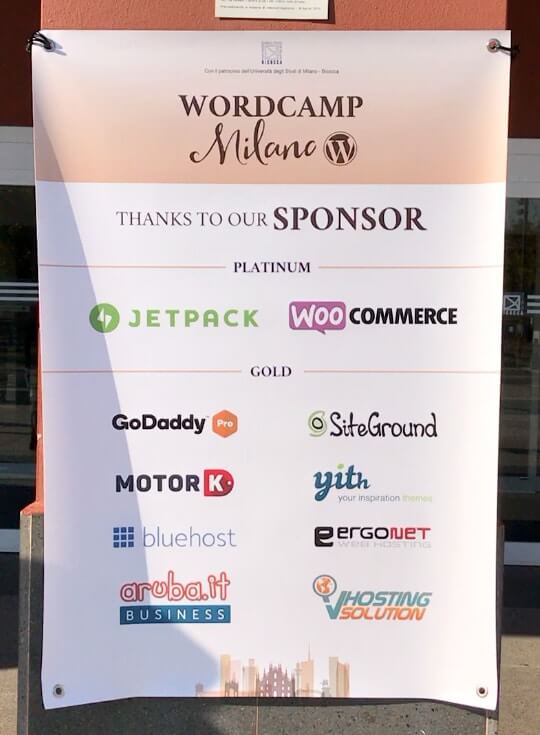
In November 2018, we had the pleasure of supporting WordCamp Milano 2018 as Bronze-tier sponsor. We had the chance to meet and network with local WordPress businesses, meet with some of the great organizers of WordCamp in Italy and also had the opportunity to feature our brand new Jupiter X WordPress theme to WordPress lovers. This was our first WordCamp event to sponsor, but that led to a chain of interest to sponsor other WordCamps including  WordCamp Thessaloniki in Dec 2018, and WordCamp Europe in June 2019. And then who knows, maybe many others🙂. Start by checking make.wordpress.org to find the team you like to start contributing or visit WordCamp Central to find the next WordCamp event nearby to sponsor!

Hero image > Courtesy of Massimo Mormile – WordCamp Milano 2018

Giveaway: Get This Free T-shirt Shop PSD Webpage Template

We’ve created a WordPress theme for e-commerce websites and we would like you to give it a try by downloading its free PSD landing page template. For the next installment of our giveaway, we are giving another FREE T-shirt Shop PSD webpage template. Absolute no mechanics!

We’ve created a WordPress theme for e-commerce websites and we would like you to give it a try by downloading its free PSD landing page template. Expertly designed by the Artbees team, this new theme, T-shirt Shop, is created to suit the most advanced layout builder, Jupiter X.

It’s a free T-shirt Shop PSD webpage template that consists of Photoshop files instead of heavy codes. No need to worry about writing or editing code. What’s great, is that this is not a contest, you can easily download the PSD WordPress template without any mechanics to follow!

Key Features

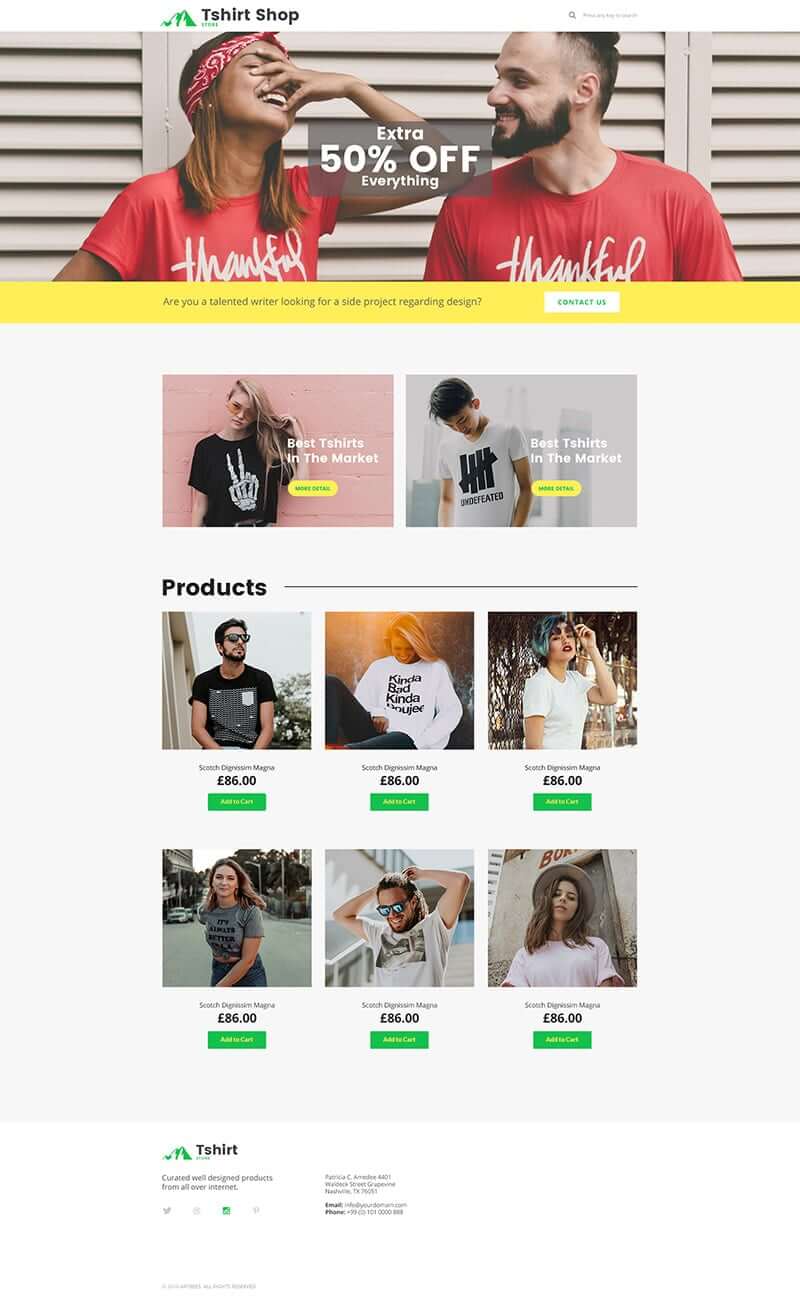
Built for online stores, T-shirt Shop is a single shop-based WordPress template for Jupiter X builder. The template has a full-screen search feature, modified single product, and product lists which are improved and modified with Shop Customizer.

It has a simple yet professional design with green accents that complement the white background. It also has accessible contact information all throughout the website which is perfect for an e-commerce website. Another thing that’s great about this Jupiter theme is that it has an Add To Cart feature as well as a Sort Button feature that are essential for online stores.

No coding skills? No problem! This template contains Photoshop files and requires no coding skills. You can set up an online store for your business without doing all the crazy coding stuff in an hour or two!

Free T-shirt Shop PSD Webpage Template Full Page

Use Cases

The free T-shirt Shop PSD webpage template is perfect for businesses who want to create a simple e-commerce website and feature their products online. These businesses could be start-ups and are new to e-commerce or those who have existing businesses but want to showcase their products online through an e-commerce website. Especially now that we’re in the digital era, more and more people prefer to shop online instead of going to the stores.

Some businesses that may find this template in theme with their brand include t-shirt shops, sporting goods store, arts and crafts businesses, home improvement stores, office supplies stores, and more.

You can use the free T-shirt Shop PSD webpage template to create an online platform for your business while eliminating distracting information and placing focus on your products. This Jupiter theme is well-designed to suit any business and can be tweaked accordingly to transform it in a way that matches your brand.

Build an online presence for your business in as easy as 1-2-3 with this free T-shirt Shop PSD webpage template from the makers of the visual website builder, Jupiter X. Start raking in sales by having your own e-commerce website and enjoy endless opportunities for your business. Download the T-shirt Shop PSD WordPress template today for free and start selling!

[abb_downloads file_type=”free_file” title=”Download T-Shirt Template” tweet_text=”Enjoy the free T-Shirt webpage template from @artbees_design! Download here: https://bit.ly/2LtykPW #FreeJupiterWPTemplates”]

To enjoy more than 160 advanced templates that are already coded with the highest standards, download Jupiter WordPress Theme!

[call_to_action title=”Download Jupiter WordPress Theme Now” target=”_blank” url=”https://themeforest.net/item/jupiter-multipurpose-responsive-theme/5177775?utm_source=TShirtFreeJupiterWPTemplate&irgwc=1&clickid=Q3XVRp27-Vd-W5SUr%3AxaIR5HUkg0Z4yRFRdWRY0&iradid=275988&irpid=27795&iradtype=ONLINE_TRACKING_LINK&irmptype=mediapartner&mp_value1=&utm_campaign=af_impact_radius_27795&utm_medium=affiliate&utm_source=impact_radius” type=”link”]

***Important Note: Artbees free templates cannot be sold or distributed as it is — only derivative works for end users can be sold.

[Giveaway] A Taste of 2019 with Artbees Free Holiday Template!

I want to add to the happiness right in the middle of the happiness this season brings! You’re most likely having fun celebrating the Christmas season and preparing for the new year or enjoying your vacations right now. Regardless, I’d like to take the opportunity and treat you with a free template from Artbees to add to the happiness that this season brings!

Continue reading

FREE Dress Shop PSD Webpage Template Giveaway by Artbees Set To Win the Runway

Looking for an awesome website template to gear up your online fashion shop? Well, Artbees got some good news for you! We’re giving away another new theme, Dress Shop, and it’s totally free for everyone. No need to bargain. No need to fit anything. No need to wait for a sale. No need to join a contest. No need to look for a discount coupon.

Continue reading