01Product tabs
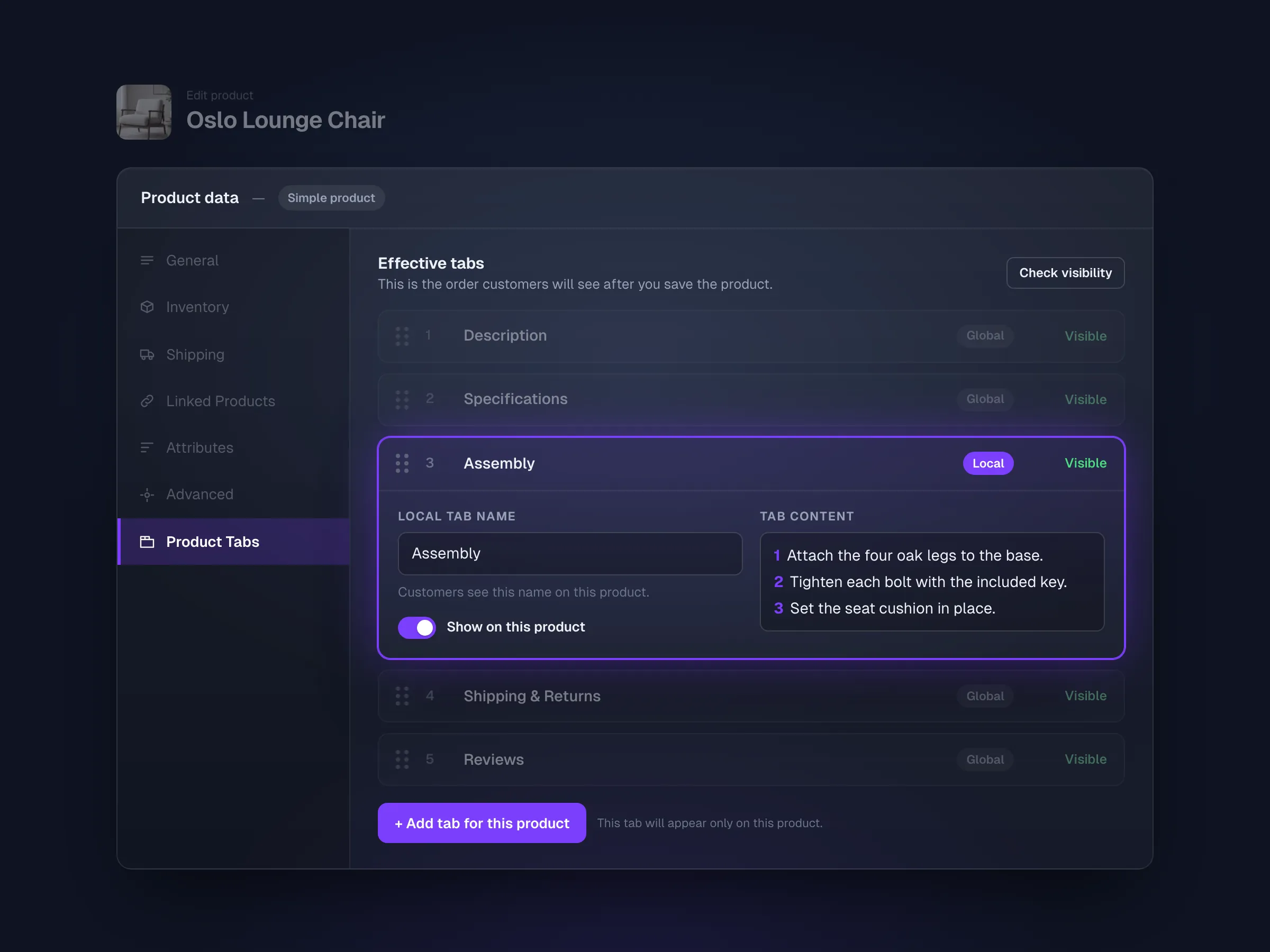
A tab only one product needs
Add it straight from the WooCommerce product editor.
- Created in the product’s own edit screen
- Lives with that product, nowhere else
- Ordered with the shared and built-in tabs


Product Tabs for WooCommerce · Free + Pro
Shared tabs for specs, size guides, shipping and FAQs, shown on the right products and in the right order.
Free on WordPress.org. Pro covers unlimited sites.
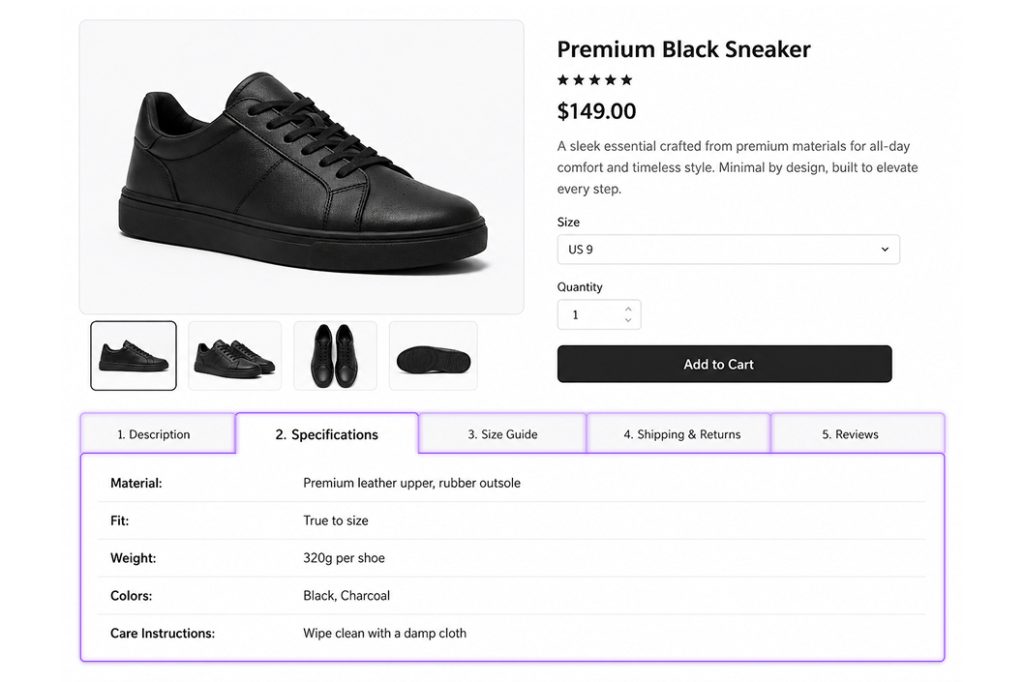
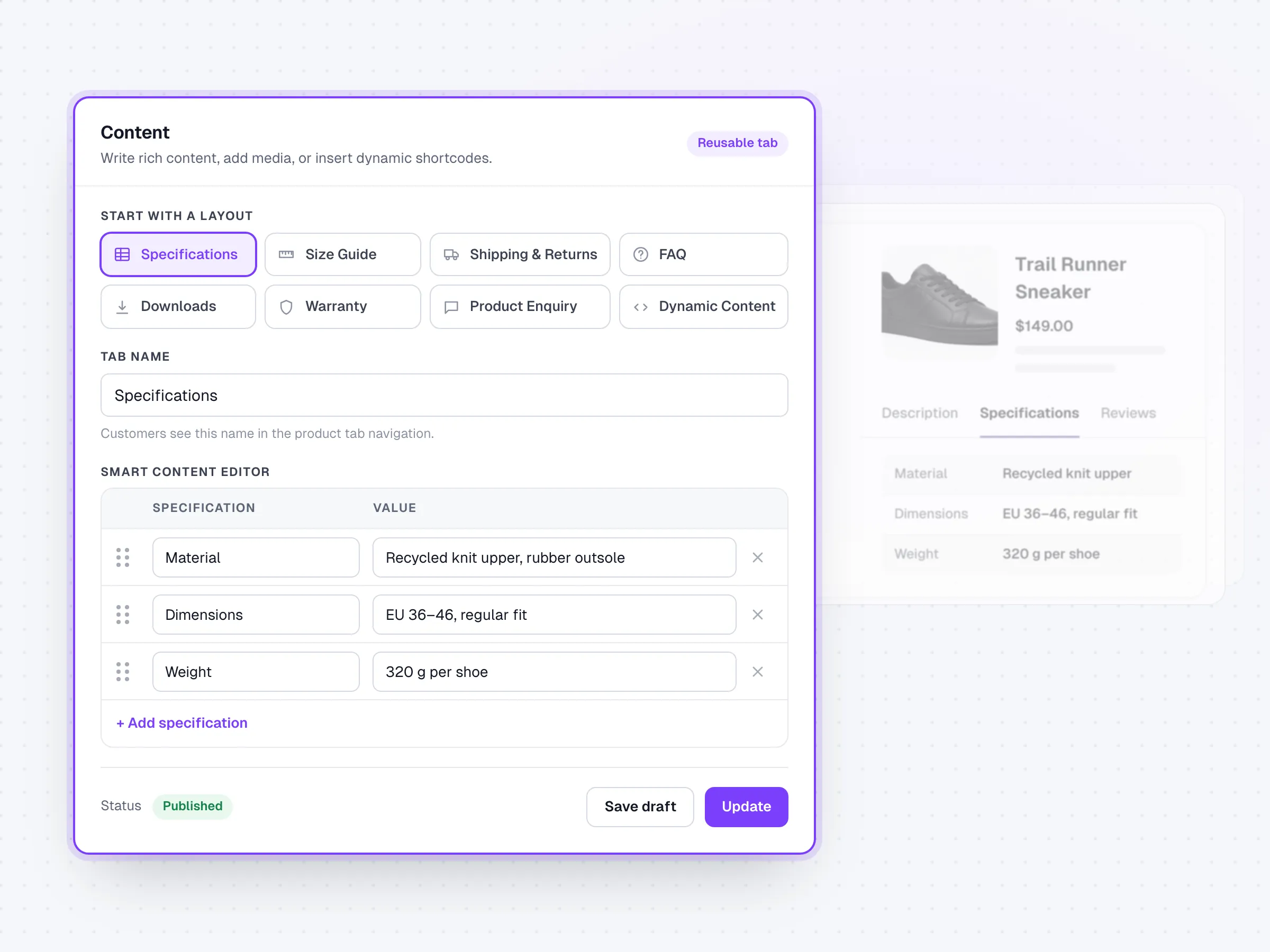
Write specs, FAQs and shipping details once, then reuse them across the catalog.
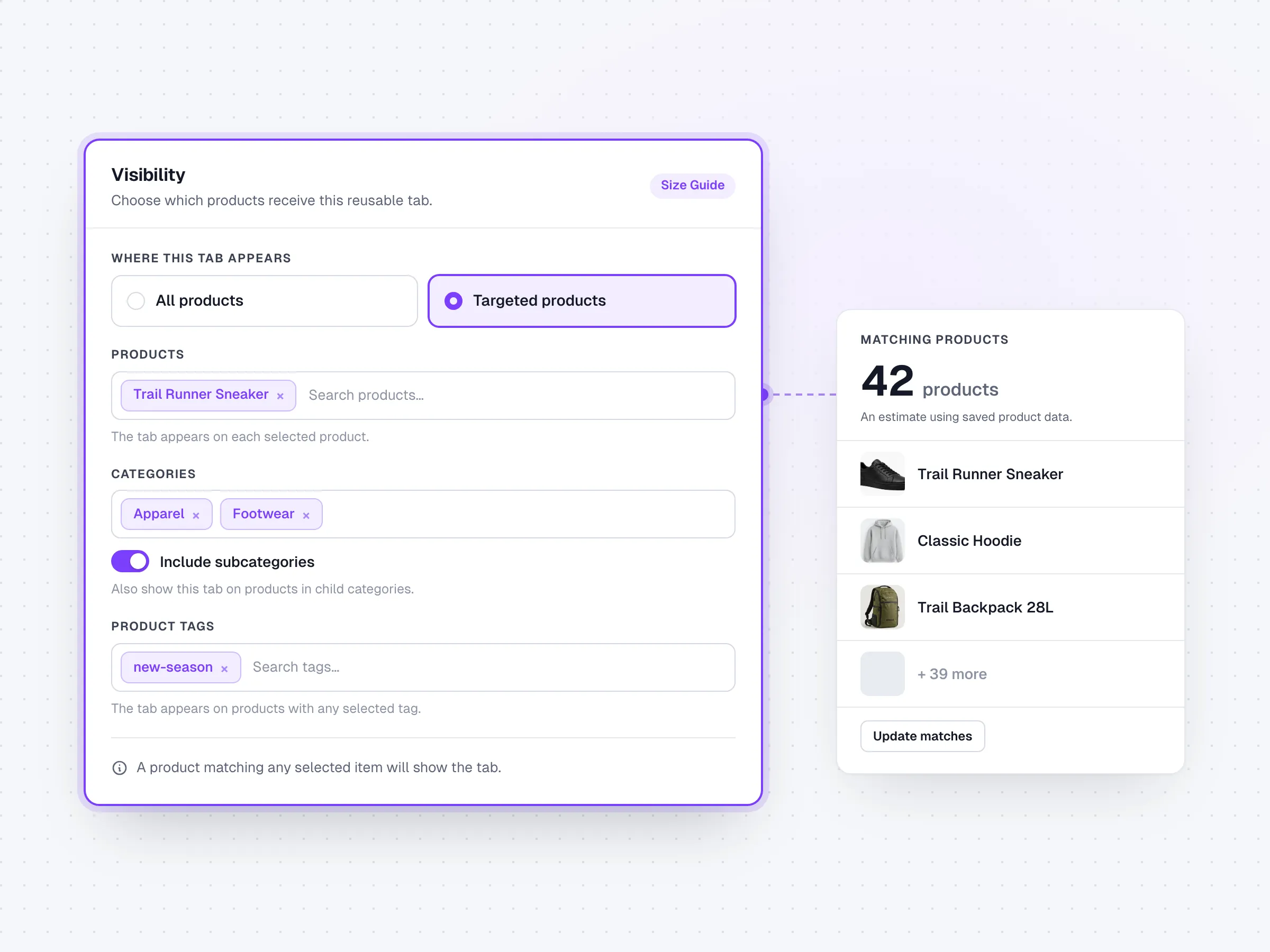
Target all products, or selected products, categories and tags.
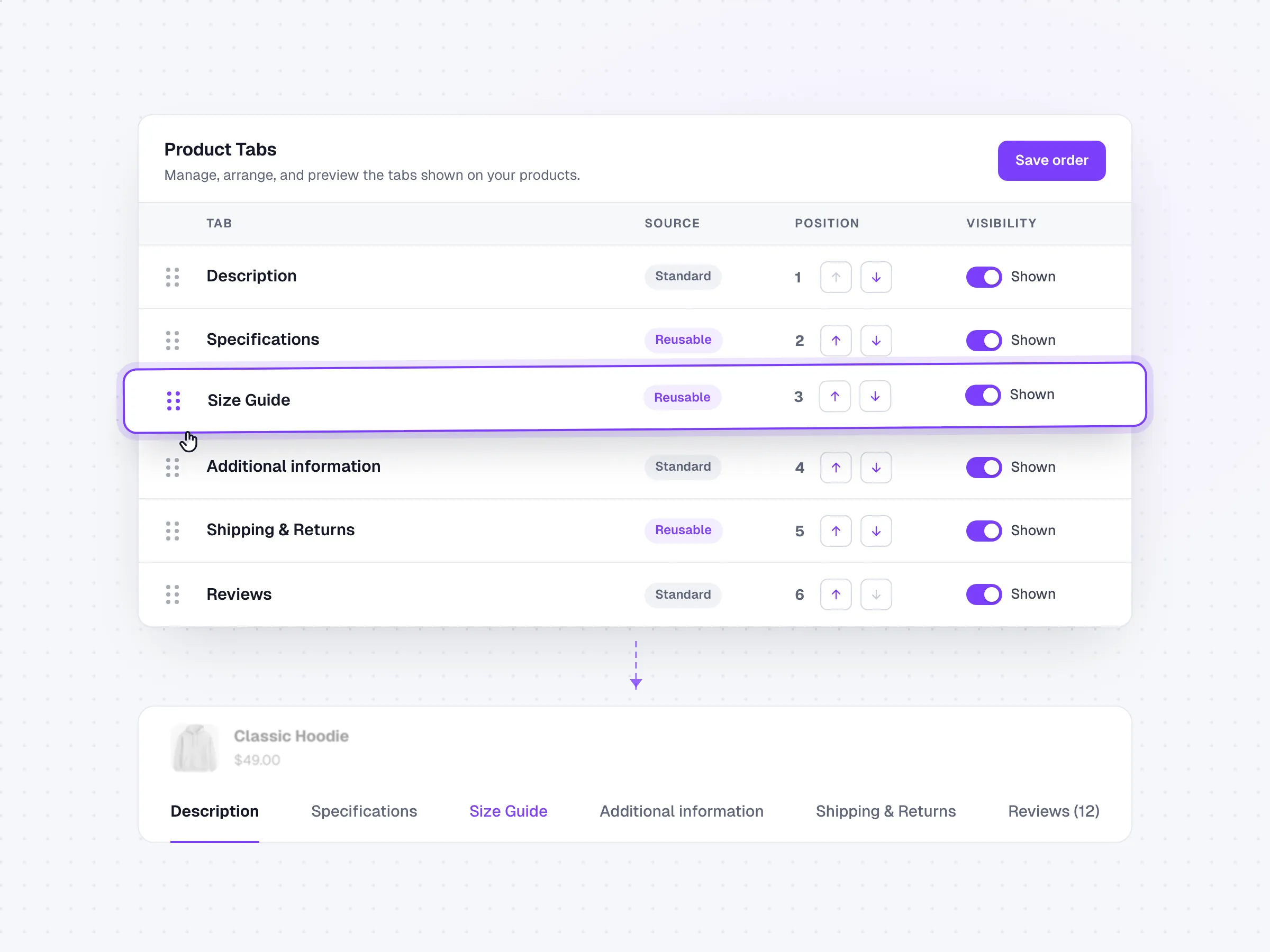
One sequence with Description, Additional information and Reviews.
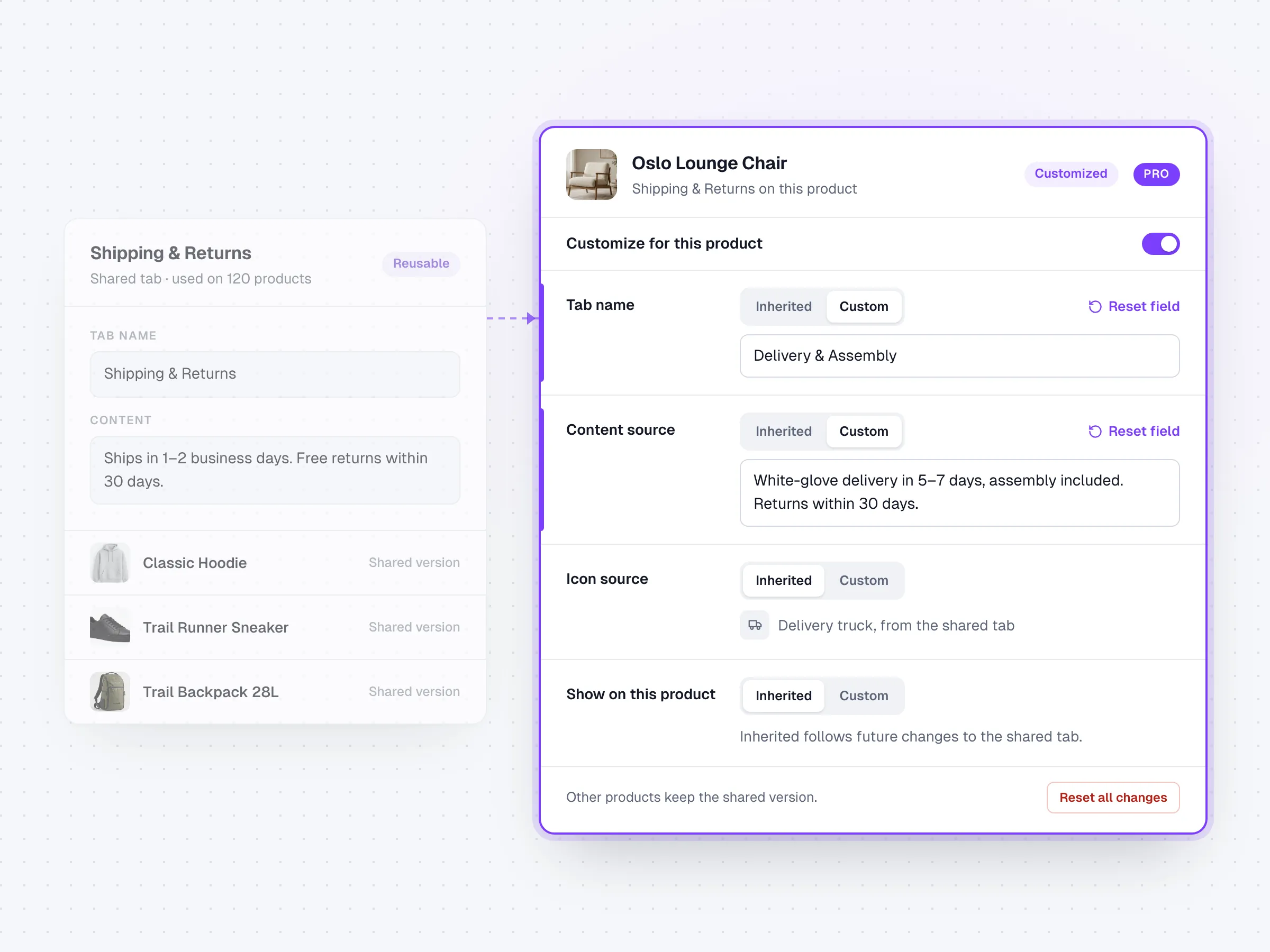
Change one product’s tab without touching the rest of the catalog.
Features
Build shared product information once, show it on the right products, and keep one-off exceptions at the product level.
Artbees Product Tabs Pro
Free covers shared tabs. Pro adds what large catalogs run into next: one-off tabs, per-product changes, layouts for long pages, and a clear answer when a tab isn’t showing.
01Product tabs
Add it straight from the WooCommerce product editor.
02Diagnostics
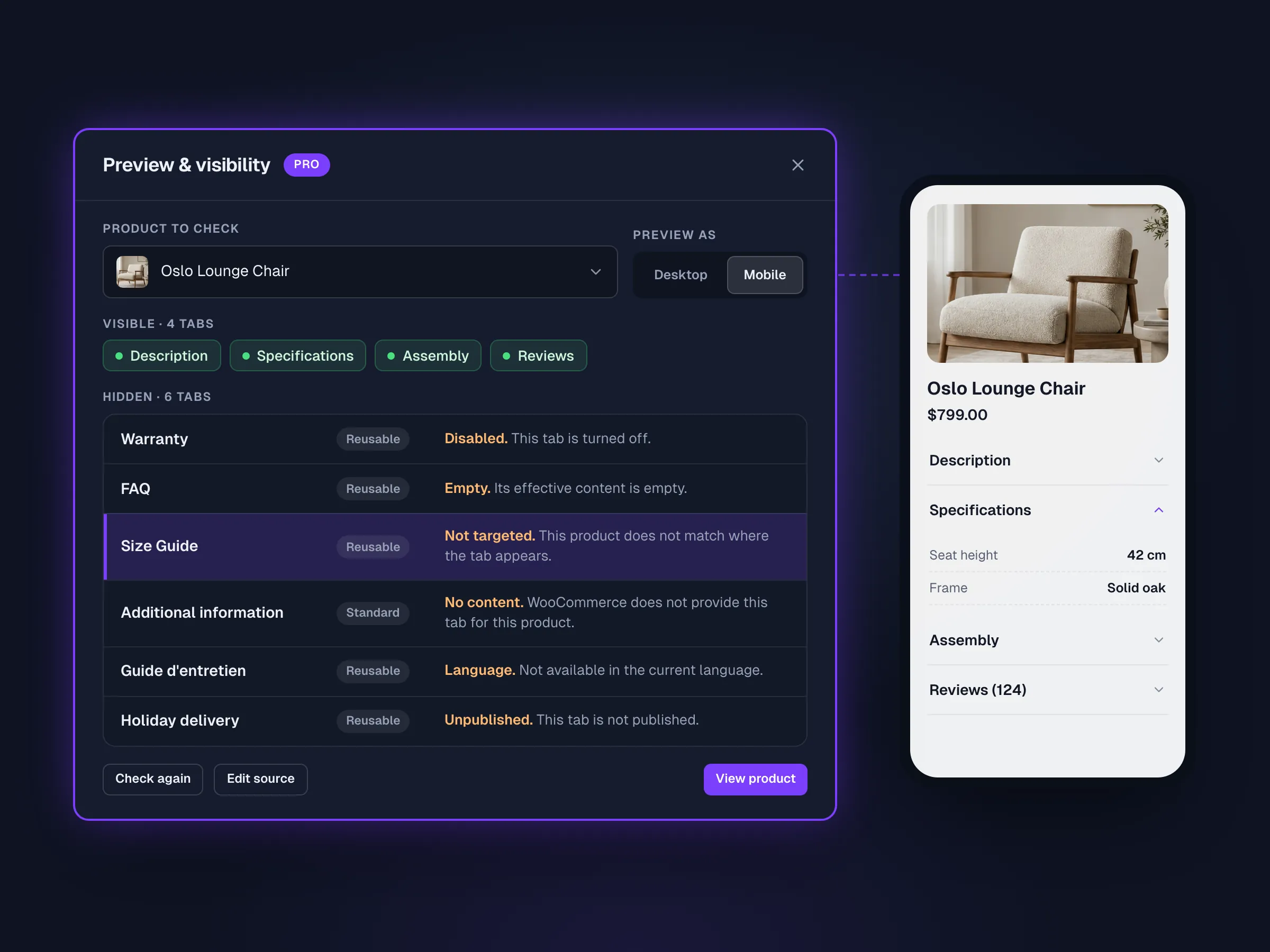
Preview a real product and get a plain reason for every missing tab.
03Layouts
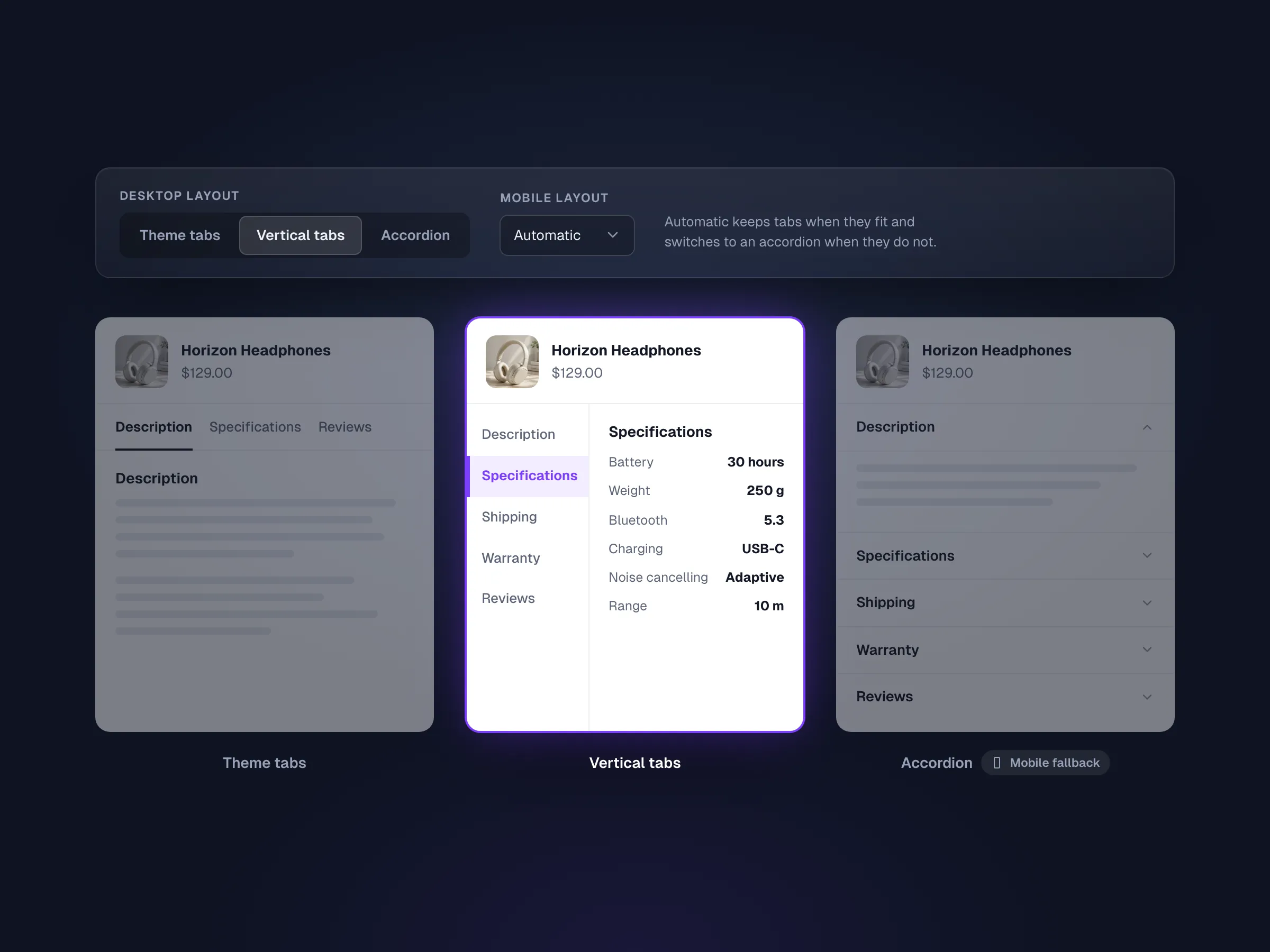
Horizontal, vertical or accordion, with its own mobile layout.
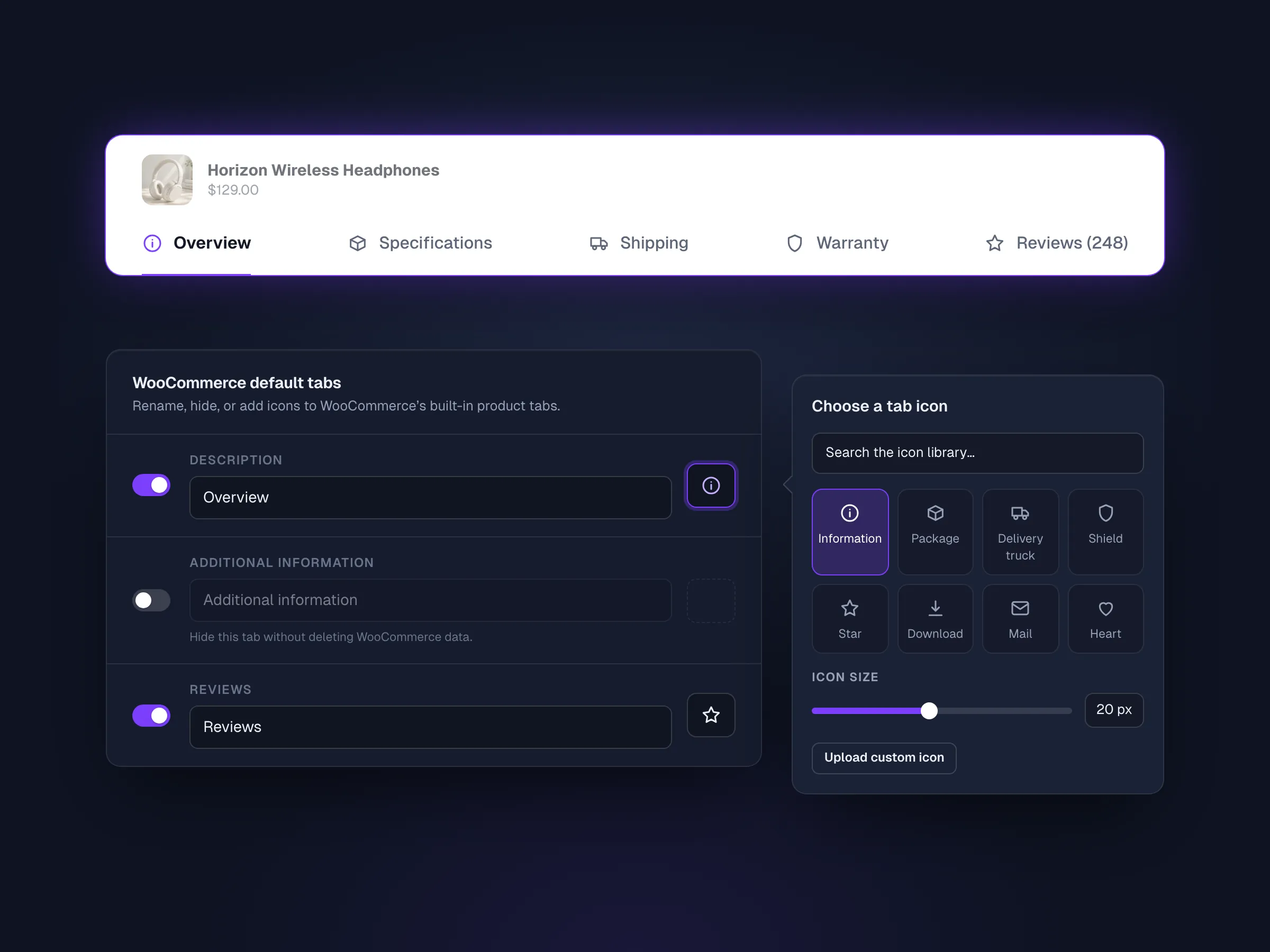
04Icons
Rename or hide Description, Additional information and Reviews.
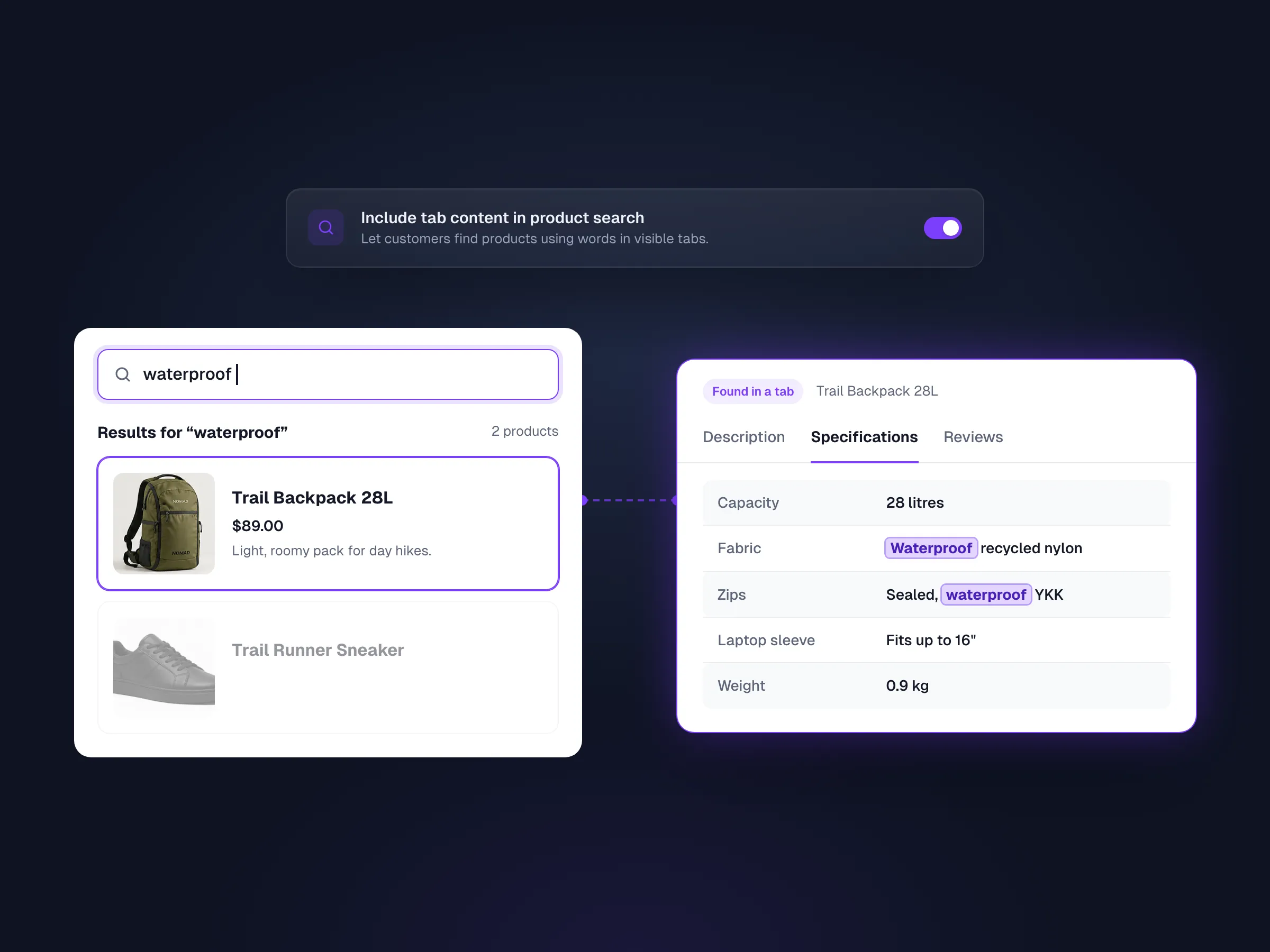
05Search
Optionally include visible tab content in product search.
Change a shared tab’s title, content, icon, order or visibility on one product, and reset any field.
Clean, Soft, High Contrast and Minimal presets.
Free keeps working and Pro data stays stored until you renew.
Free vs Pro
Both Pro plans include every Pro feature on unlimited websites.
| Feature | Free | Pro |
|---|---|---|
| Shared tabs | ||
| Unlimited reusable tabs | Included | Included |
| Ready-made content types | Included | Included |
| Elementor templates & shortcodes in tabs | Included | Included |
| Target products, categories & tags | Included | Included |
| One order with WooCommerce’s tabs | Included | Included |
| Theme-native horizontal tabs | Included | Included |
| WPML language rules | Included | Included |
| Per product | ||
| Product-specific tabs | Not included | Included |
| Per-product overrides | Not included | Included |
| Feature | Free | Pro |
|---|---|---|
| Presentation | ||
| Vertical & accordion layouts | Not included | Included |
| Separate mobile layout | Not included | Included |
| Content style presets | Not included | Included |
| Tab icons | Not included | Included |
| Rename or hide built-in tabs | Not included | Included |
| Tools | ||
| Preview & diagnostics | Not included | Included |
| Searchable tab content | Not included | Included |
Compatibility
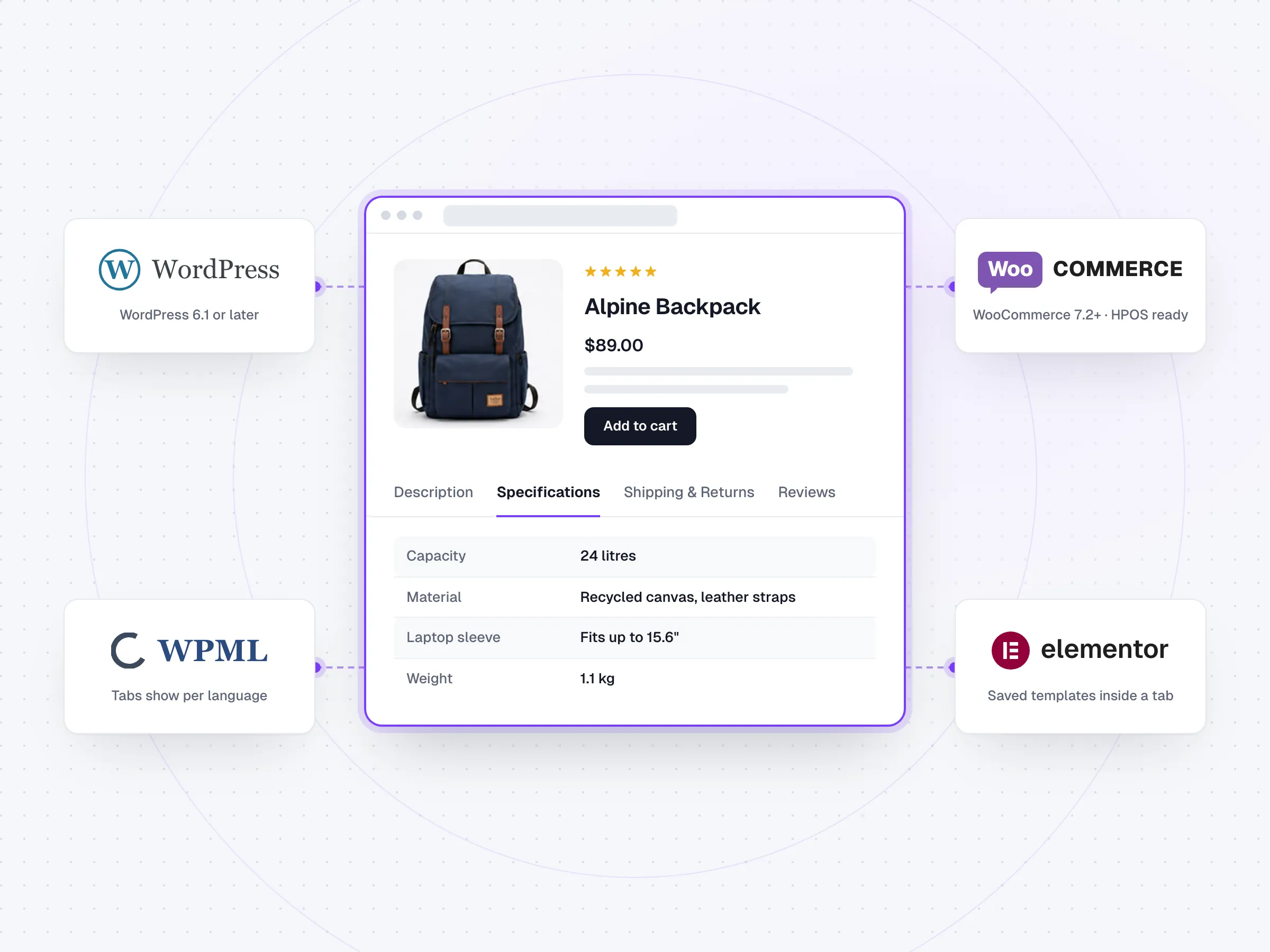
Product Tabs requires WooCommerce and works on standard WooCommerce product pages. Tab content can include media and shortcodes.
 WooCommerceBuilt on WooCommerce’s own product tabs
 ElementorLoad a saved template in a tab
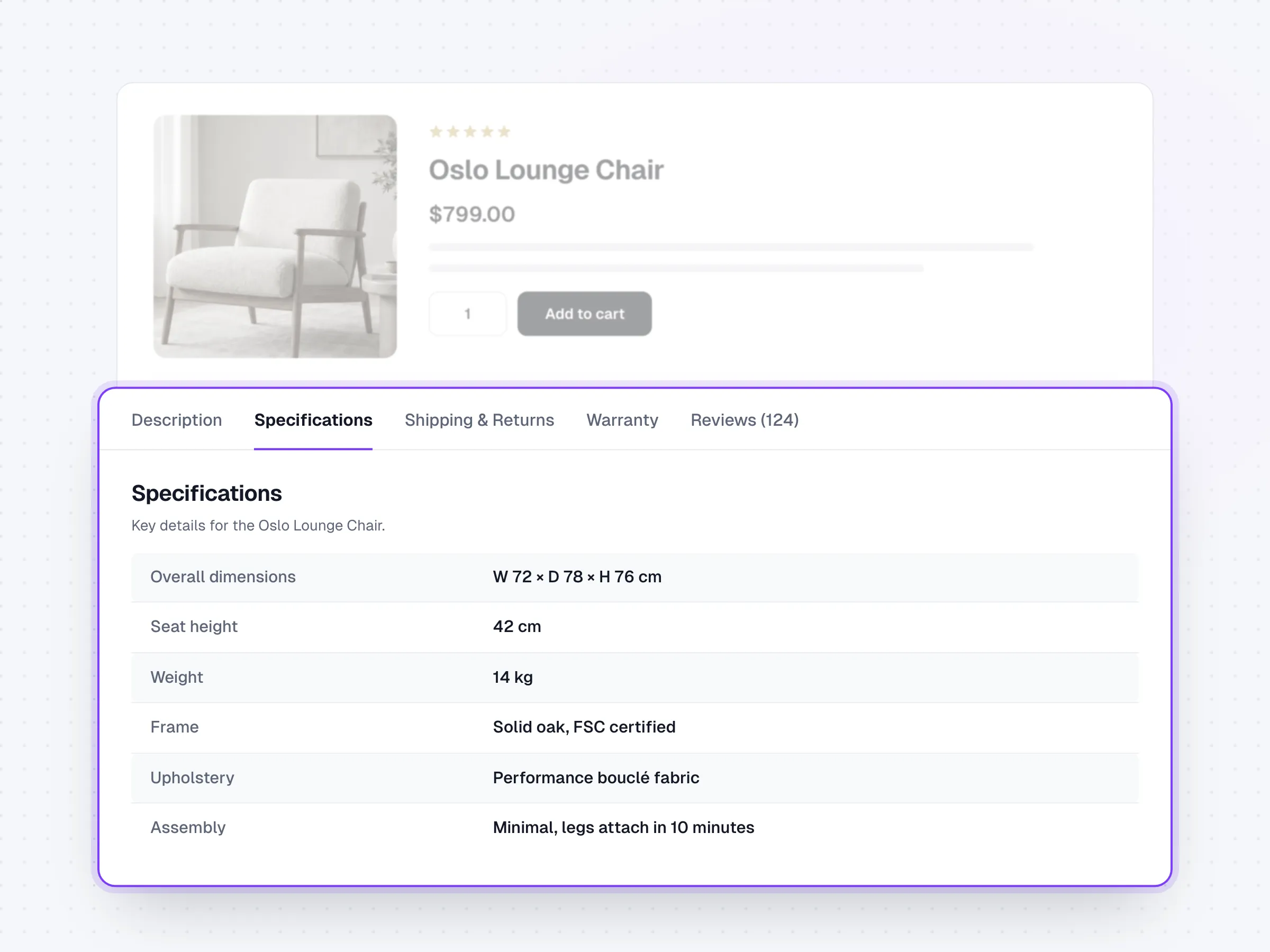
Common use cases
Keep shared product information consistent, then add the details customers need before they buy.
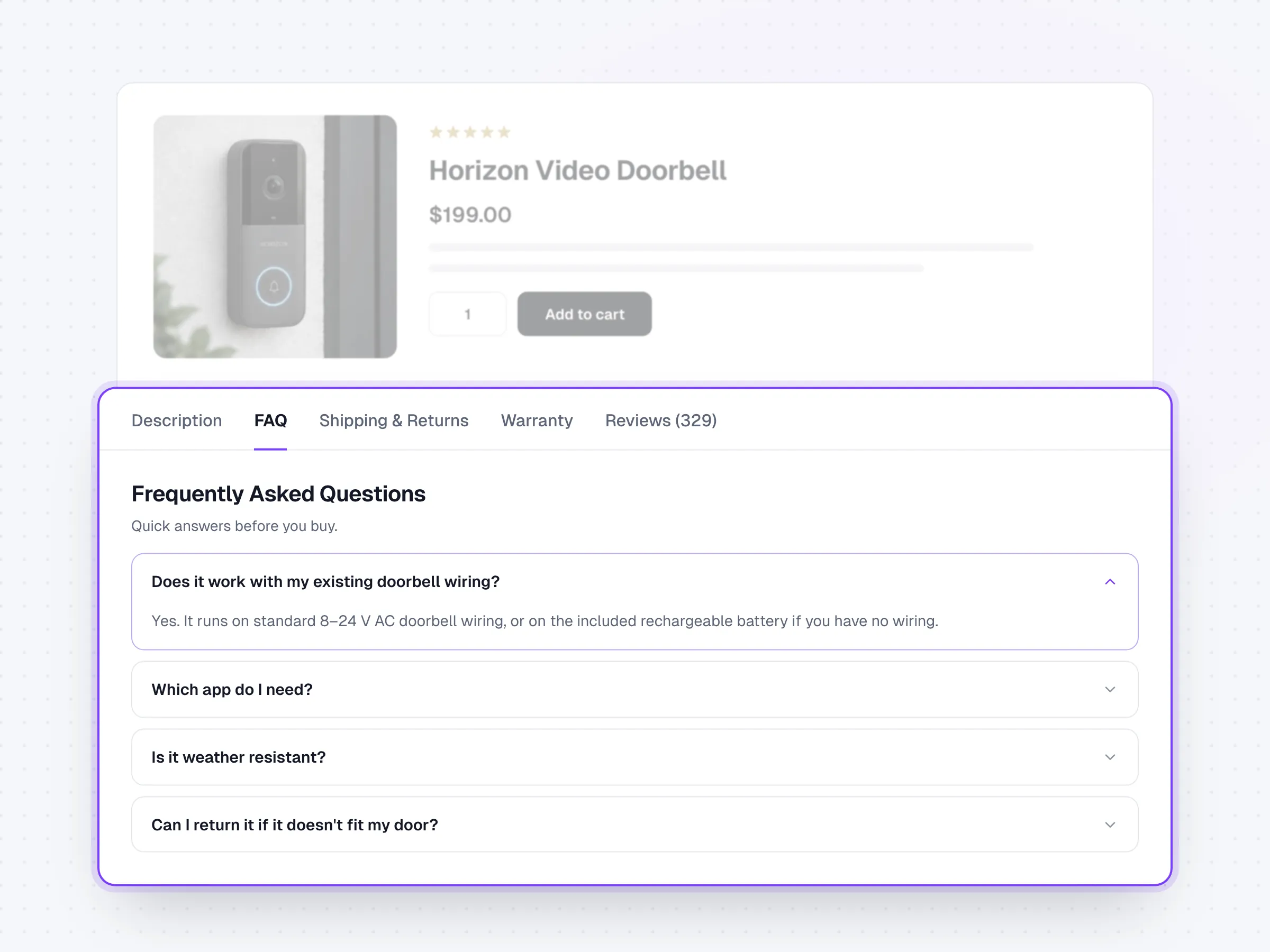
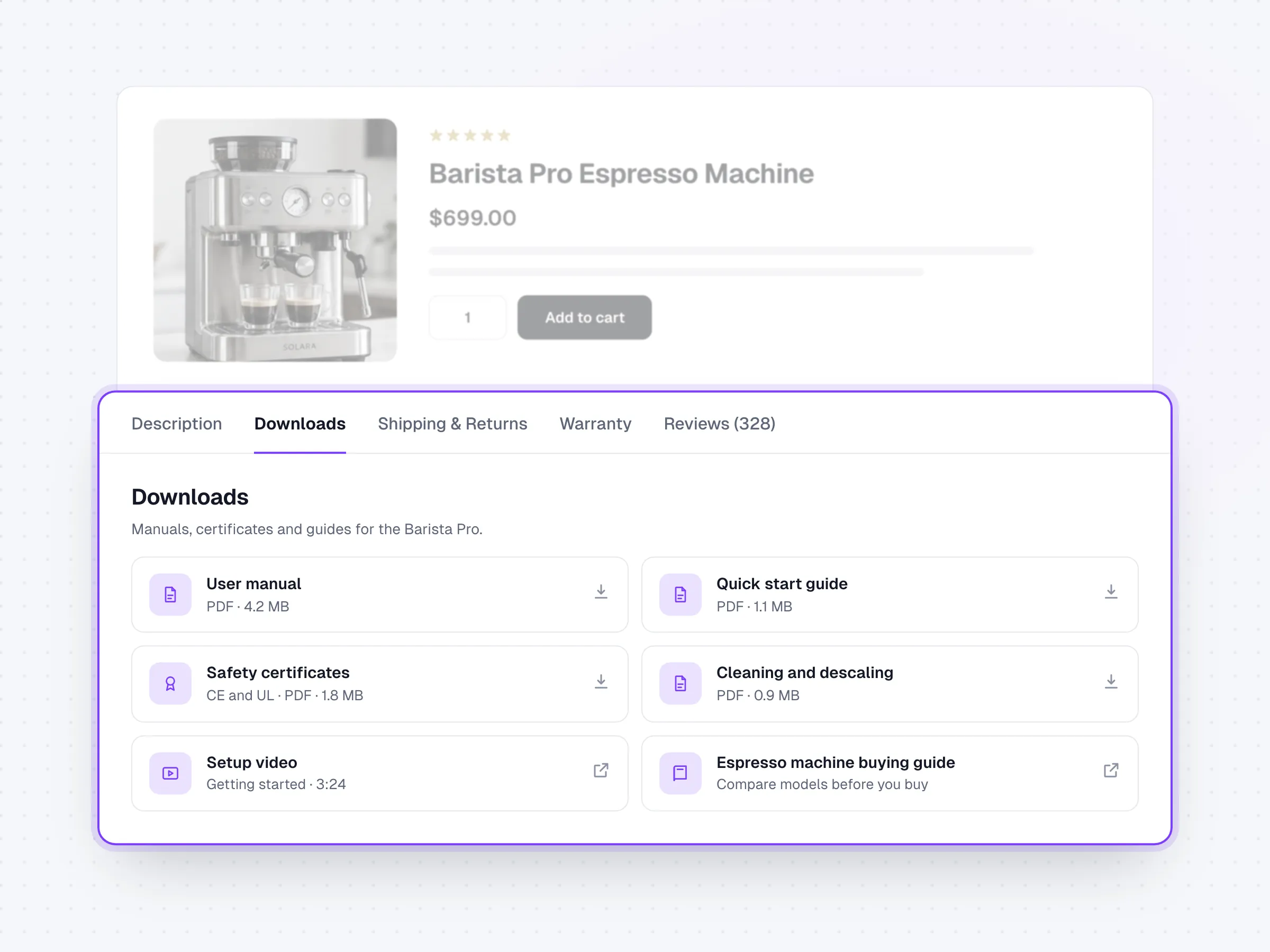
Comparison
Reusable content, targeting, built-in-tab control, product-level exceptions, and a clear price.
| Feature | Artbees Product Tabs Pro | Barn2 | WooCommerce Tab Manager |
|---|---|---|---|
| Target by product, category, and tag | Included | Included | Not included |
| Create product-specific tabs | Included | Included | Included |
| Preview why a tab is hidden | Included | Not included | Not included |
| Rename, hide, and reorder built-in tabs | Included | Included | Included |
| Vertical or accordion layouts | Included | Included | Not included |
| Searchable tab content | Included | Included | Included |
| Price and site scope | $29/yearUnlimited sites | From $49/year1 site | $99/yearSite scope not stated |
Competitor prices checked 19 Oct 2026 from official Barn2 and WooCommerce.com pages.
Pricing
Choose the license term that fits your store or agency workflow. Both plans cover unlimited websites.
$29 / year
Billed once a year
$99 one-time
One-time payment
FAQ
Yes. Free is on WordPress.org and covers reusable tabs, targeting by product, category and tag, and ordering alongside WooCommerce’s built-in tabs. Pro is an add-on that installs next to Free.
Yes, with Pro. Override a shared tab’s title, content, icon, order or visibility on one product, or add a tab that exists only on that product.
Yes. Target all products, or selected products, categories and tags, and include subcategories when needed.
Yes. Your tabs sit in one order with Description, Additional information and Reviews. Pro can also rename, hide or add icons to those three.
No. Targeting uses products, categories and tags only.
Yes. A Dynamic Content tab can load an Elementor saved template or any shortcode. Product pages built with page builders aren’t certified, so test those first.
Free keeps working and your shared tabs still show in the theme’s style. Pro features stop, and their data stays stored until the license is active again.
Both plans cover unlimited websites and every Pro feature. Lifetime adds lifetime updates and 12 months of direct support. Both come with a 15-day money-back guarantee.
Built by Artbees
Artbees Product Tabs is part of the Artbees WooCommerce plugin family, with a focus on practical workflows, understandable settings and dependable catalog content.


 Now part of Convesio


Start with reusable tabs in Free. Add Pro when some products need their own version.
Website builder

Jupiter X
Build any WordPress or WooCommerce site, with fewer plugins.
WooCommerce plugins
 SellKit
Funnels, checkouts and order bumps
 Request a Quote
Quotes that turn into orders
 Wishlist
s shoppers come back to
Product Tabs
Reusable tabs for product pages
 Lead Time
Shipping and delivery promises
 Gift Cards
Gift cards that pay like money
Services

WPDone
WordPress experts who design, build, migrate and maintain sites, under your brand or ours.
Website builder
Jupiter X
WooCommerce plugins
SellKit
Request a Quote
Wishlist
Product Tabs
Lead Time
Gift Cards
Services
WPDone
All products


