For shoppers
Everything shoppers need
- Unlimited named lists when logged in
- One guest list, merged at login
- Drawer, wishlist page and My Account
- Add one, selected or all to cart
- Private or shared with revocable links



Wishlist for WooCommerce · Free + Pro
Give shoppers a fast, drawer-first way to save, organize and share products. Start free with unlimited named wishlists, then add Pro for price-drop and back-in-stock alerts, conversion insights and better list tools.
Free on WordPress.org. Works with Blocks, Elementor and Jupiter X.
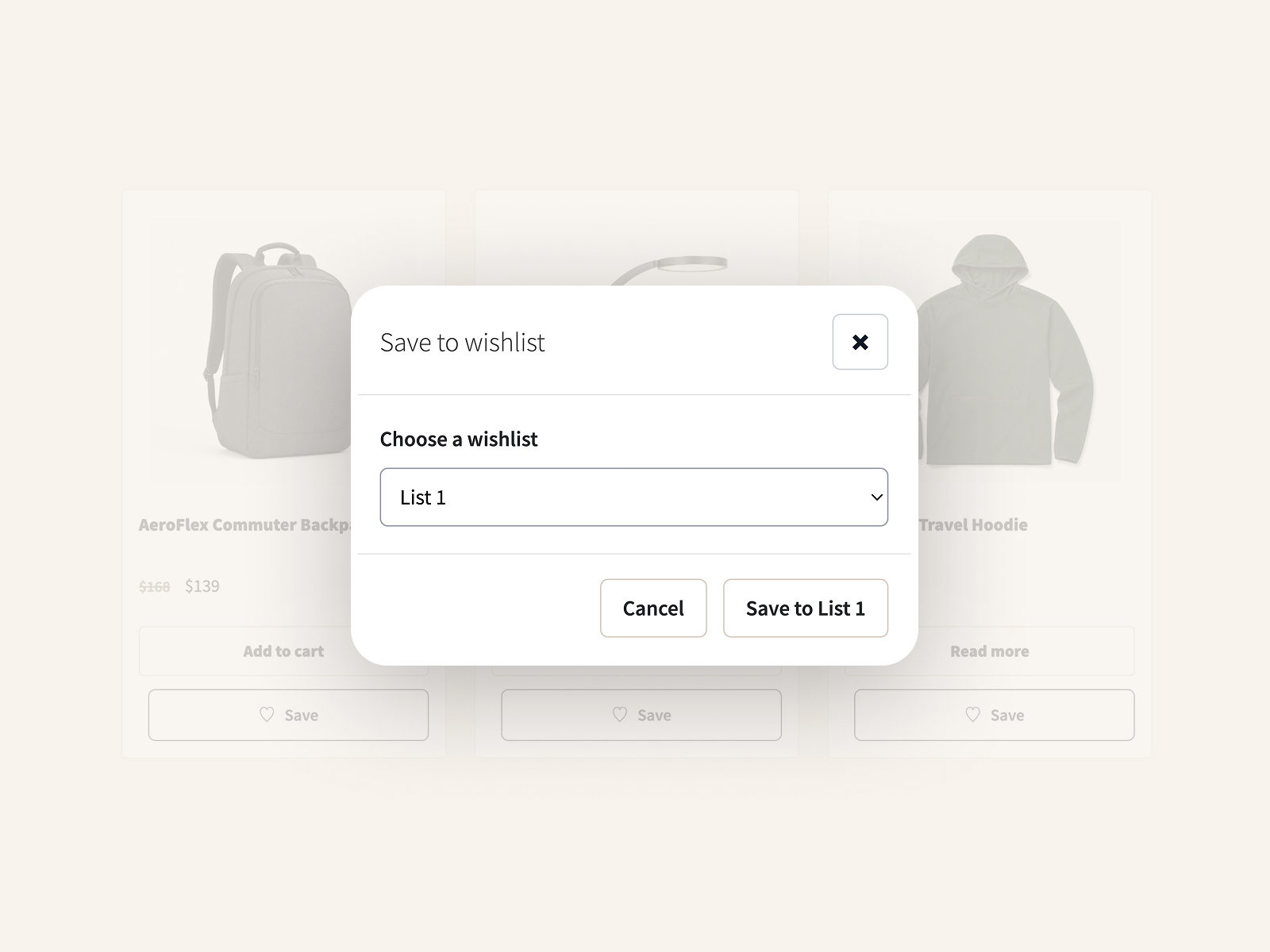
Logged-in shoppers name and organize as many wishlists as they need.
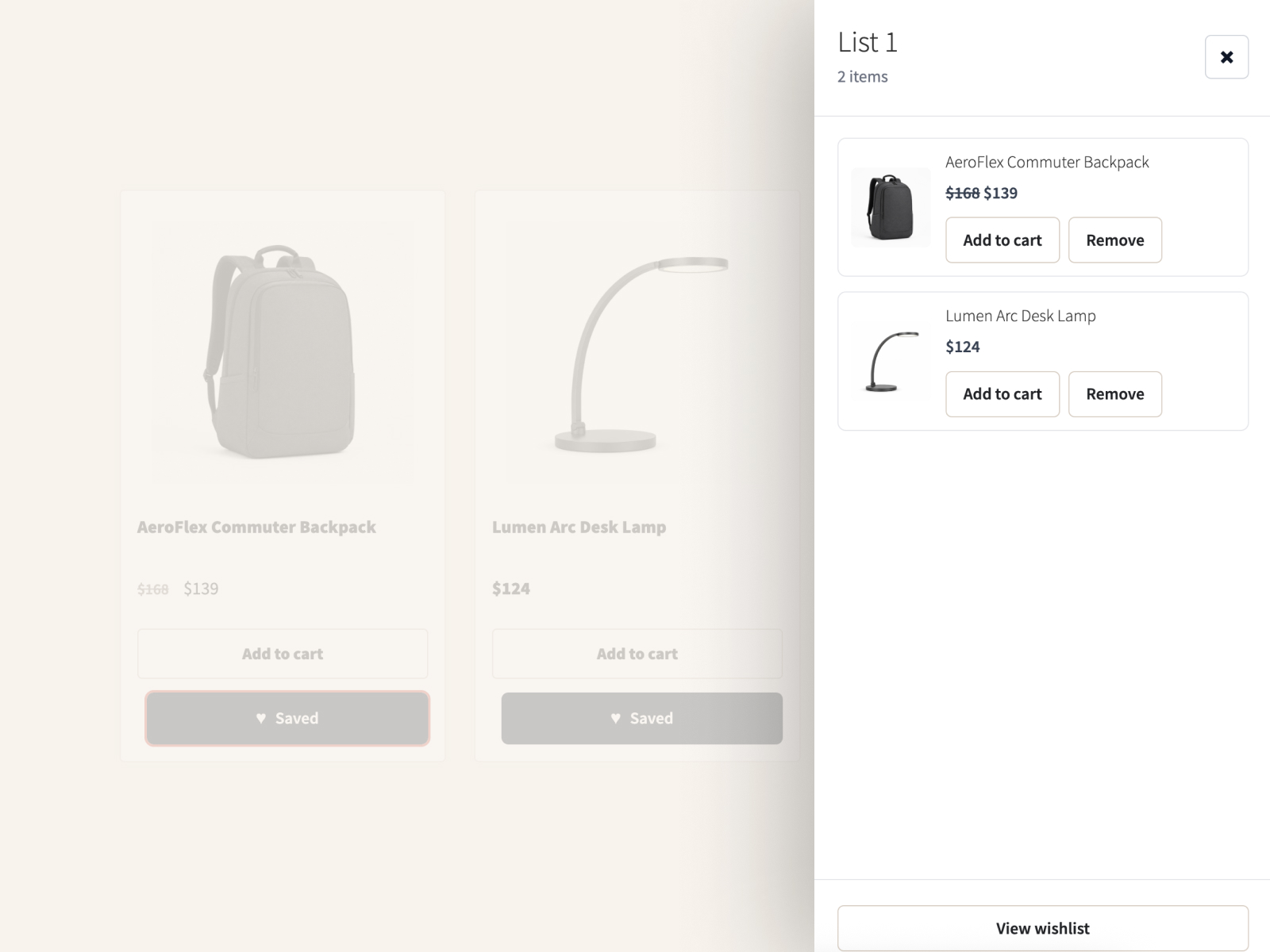
Saved products stay close without forcing a page change.
Built for the storefront tools Artbees customers already use.
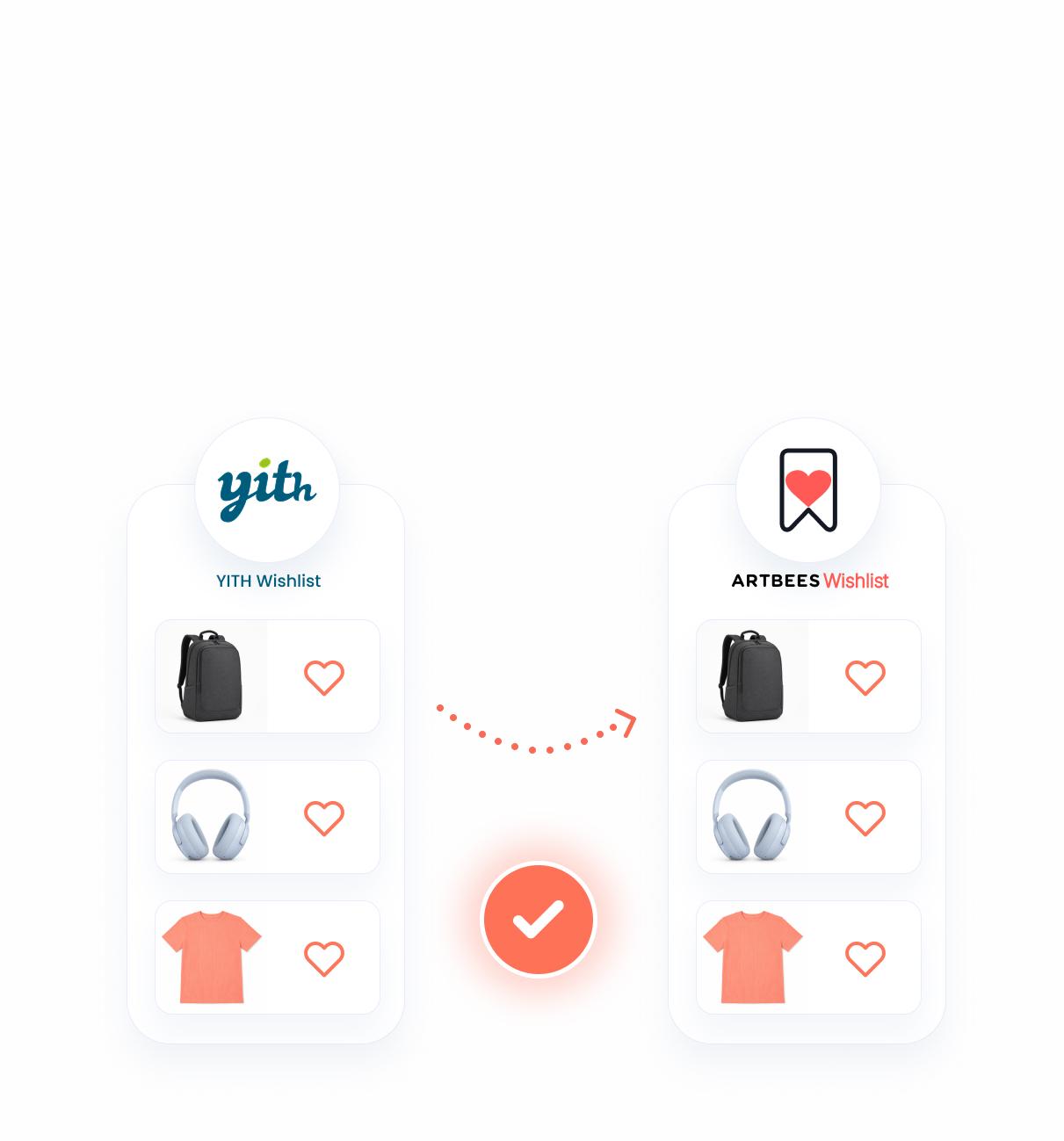
Preview, import and review YITH lists before anything changes.
Drawer-first shopper experience
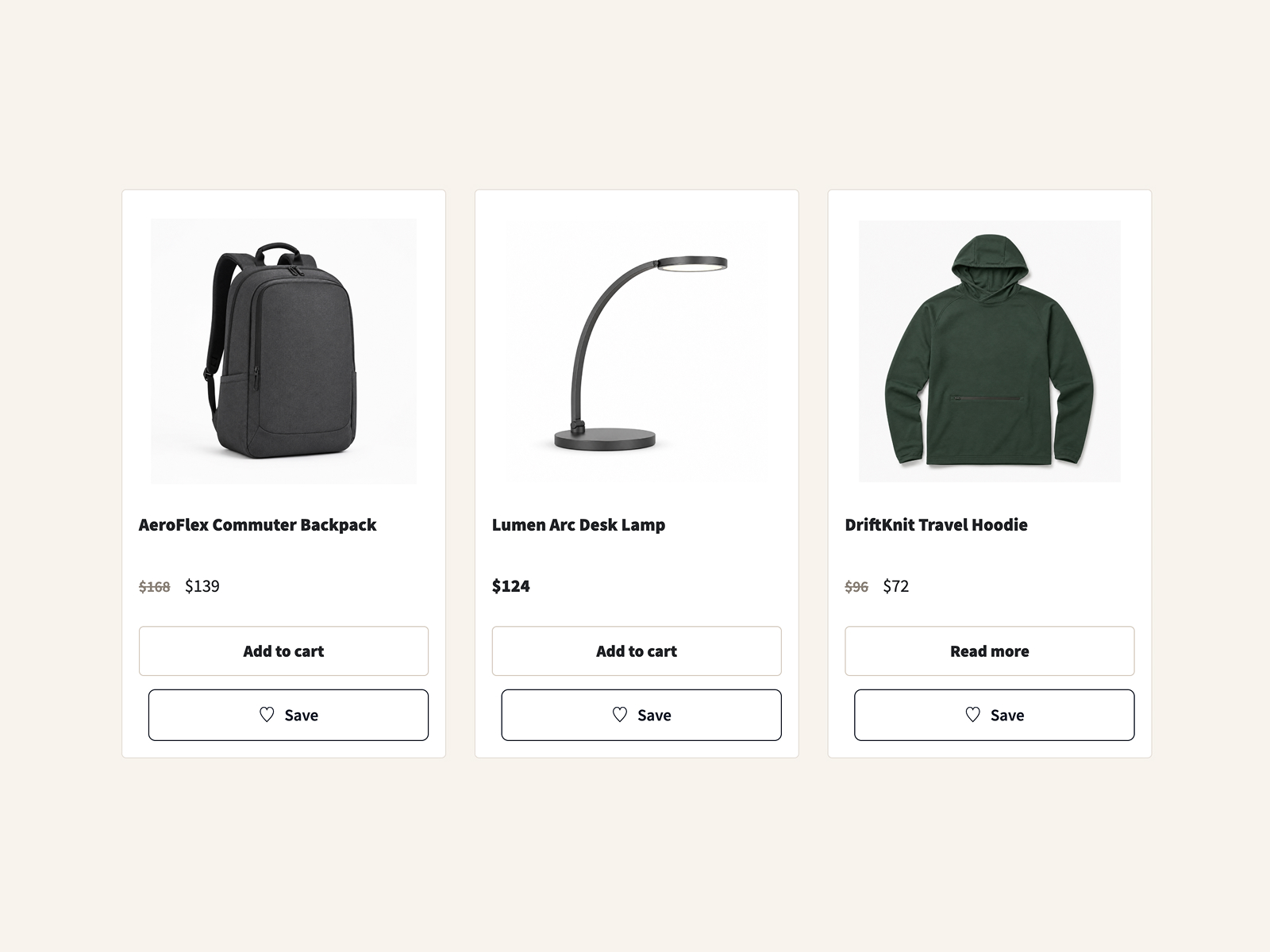
Shoppers can save a product, place it in a list, review it in the drawer, keep browsing, and return later to share or buy.
Free edition
Free is built for real storefront use: unlimited named lists, guest saving, sharing, drawer actions, account access and migration tools.
For shoppers
For merchants

Made for your store
A Style tab with live preview, and settings that cover buttons, the drawer, guests and the wishlist page. Blocks and Elementor widgets follow the same settings.
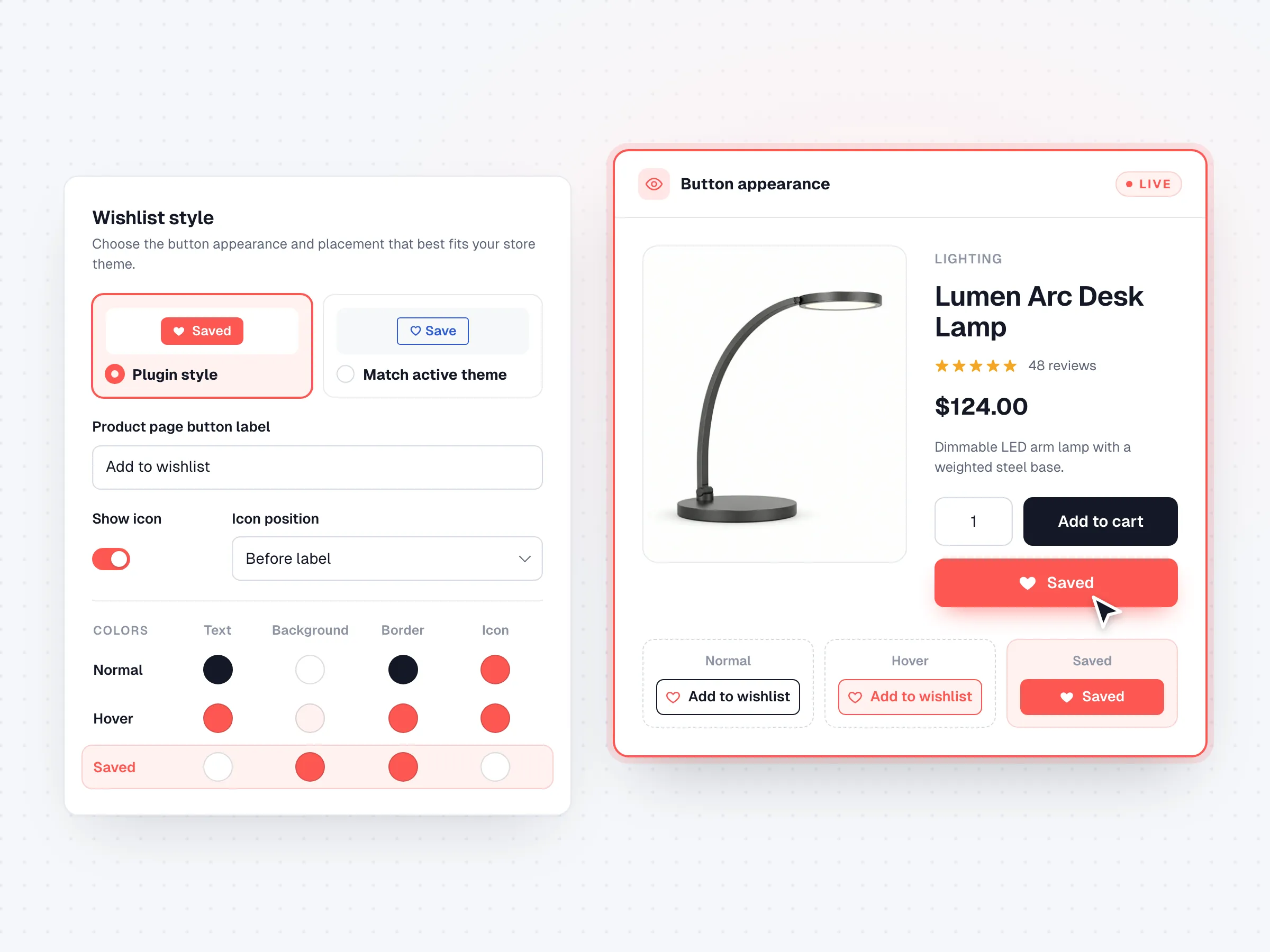
Style
Labels, placement, icon, size, spacing, typography, borders and every button state, with a reset to defaults.
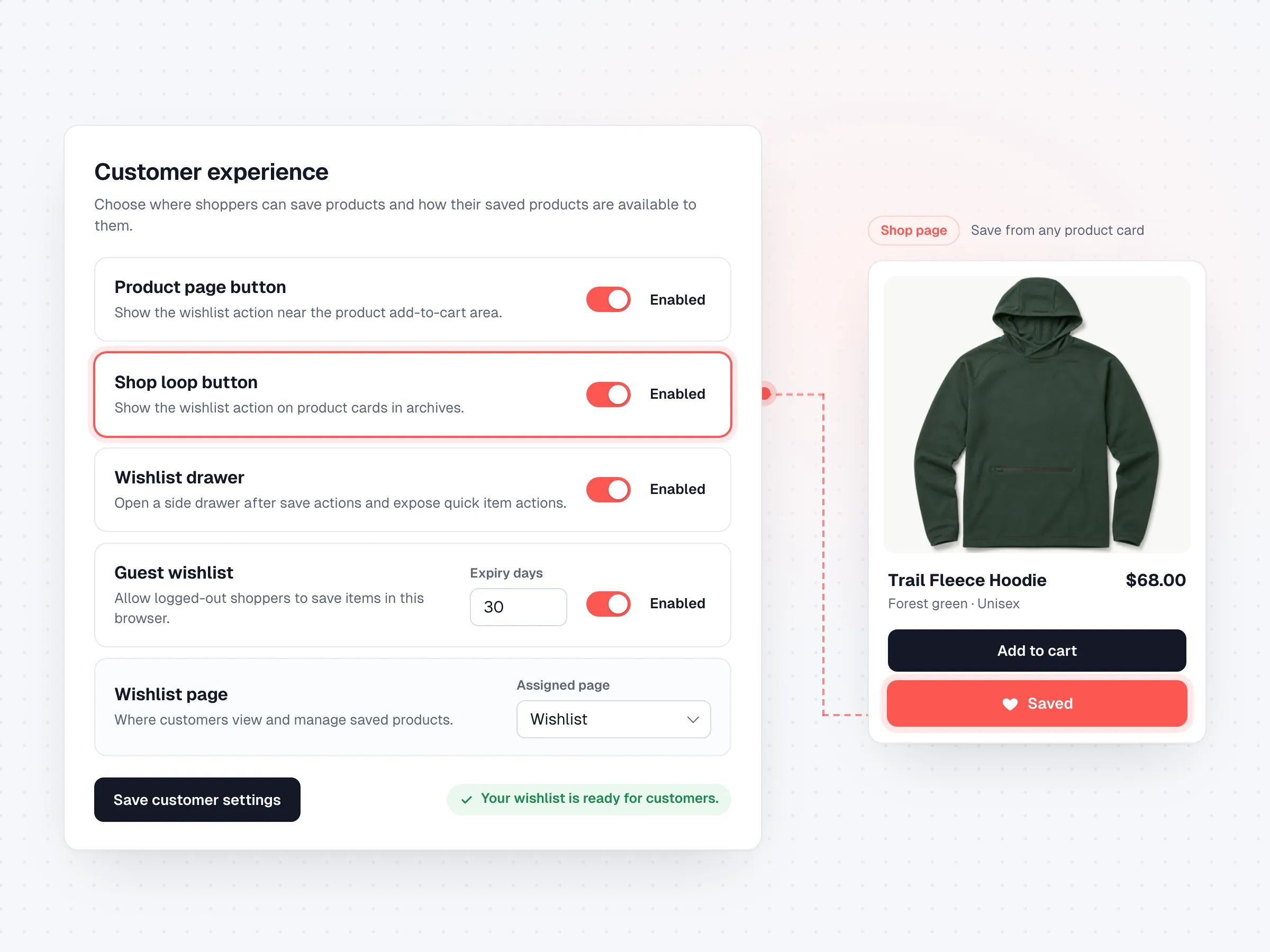
Settings
Product and shop buttons, the drawer, guest lists and their expiry, the wishlist page, and the YITH scan.
Artbees Wishlist Pro
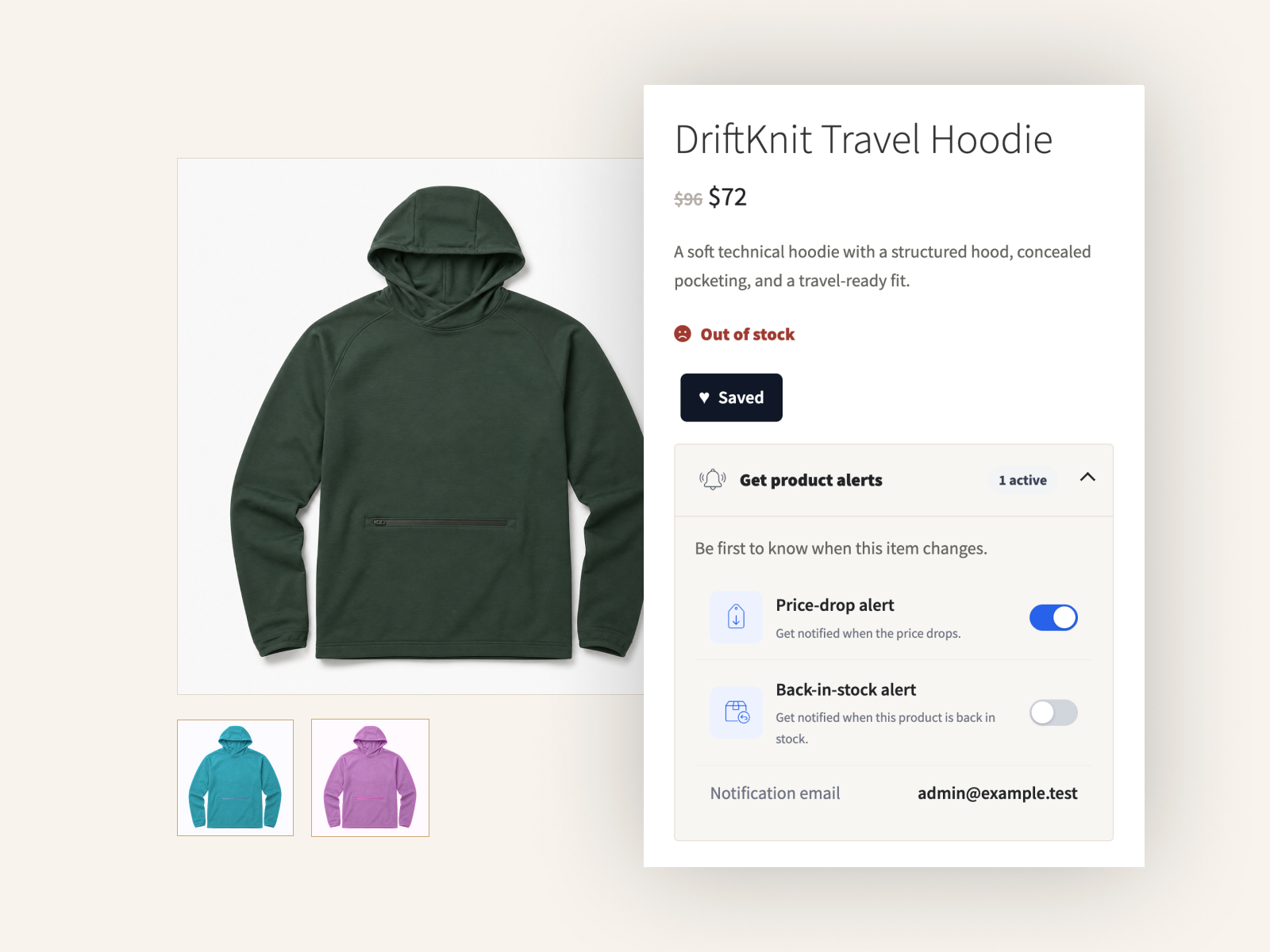
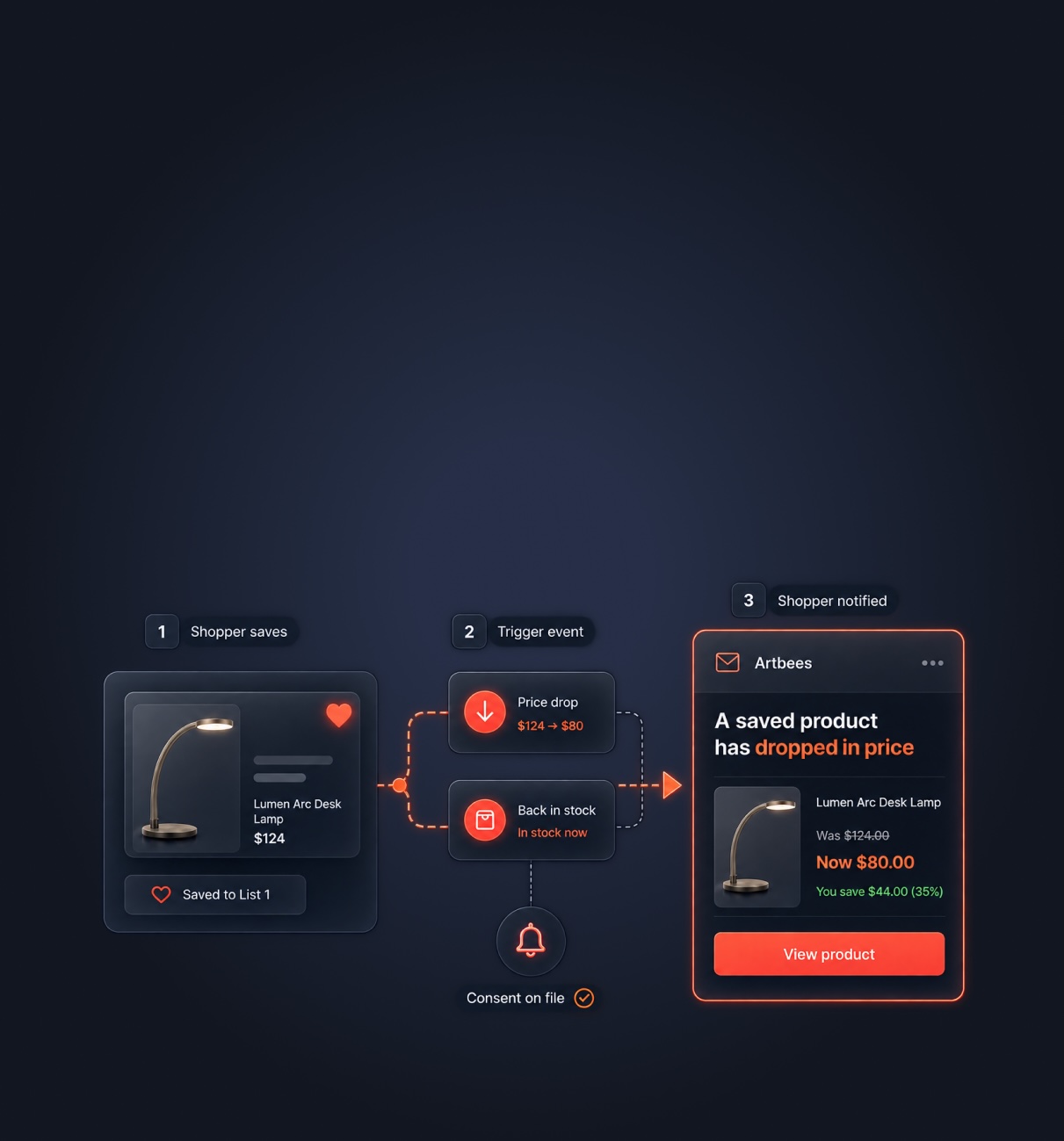
Pro tells you what shoppers saved, emails them when the price drops or the item is back, and gives them better tools to plan what they buy. It runs on top of Free, so nothing you set up changes.
01Alerts
Email the shoppers who already want that exact product.
When a saved product gets cheaper or comes back, Pro emails every shopper who opted in for it.
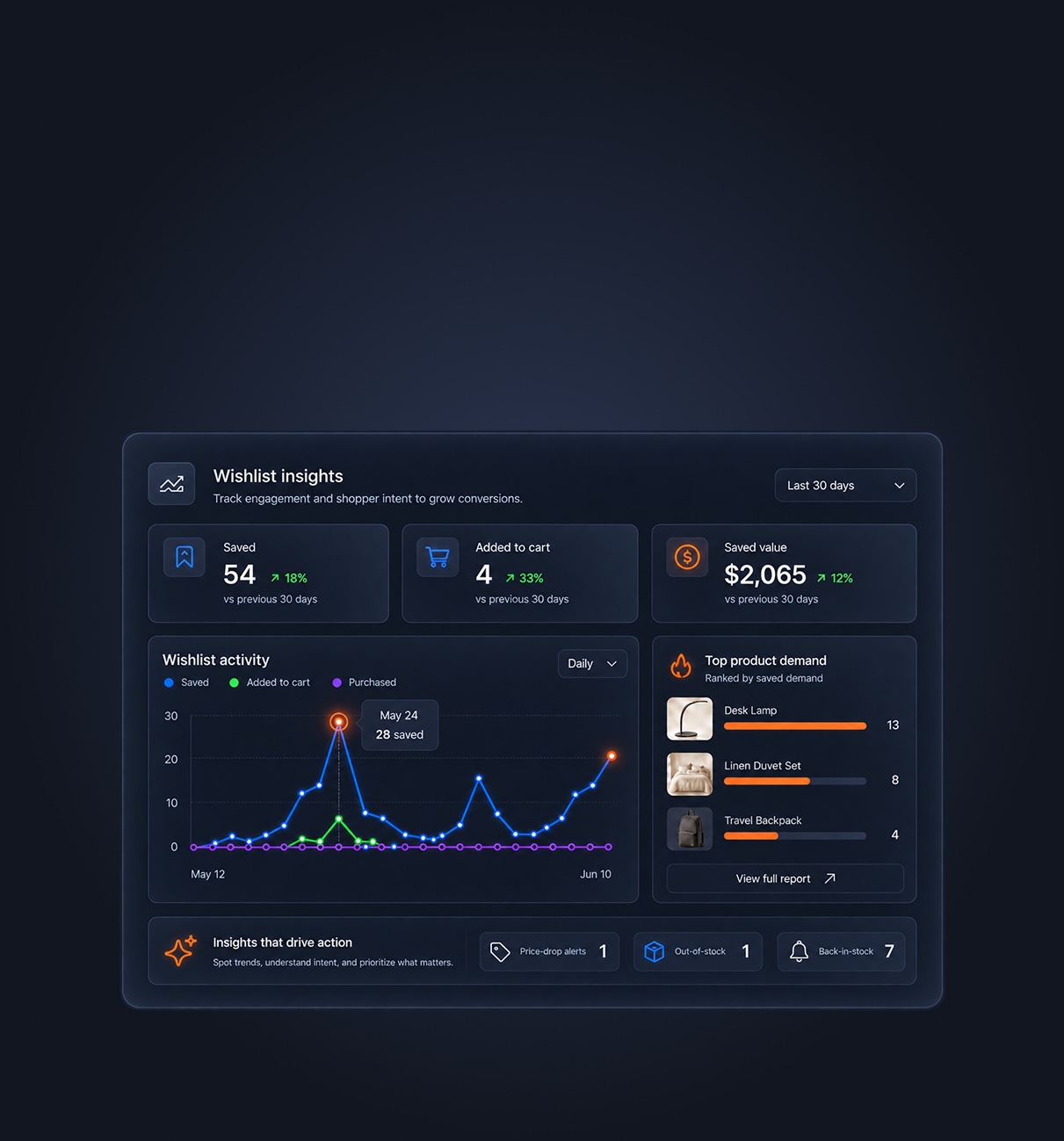
02Insights
Saves, add-to-carts and purchases from wishlists, against the previous period.
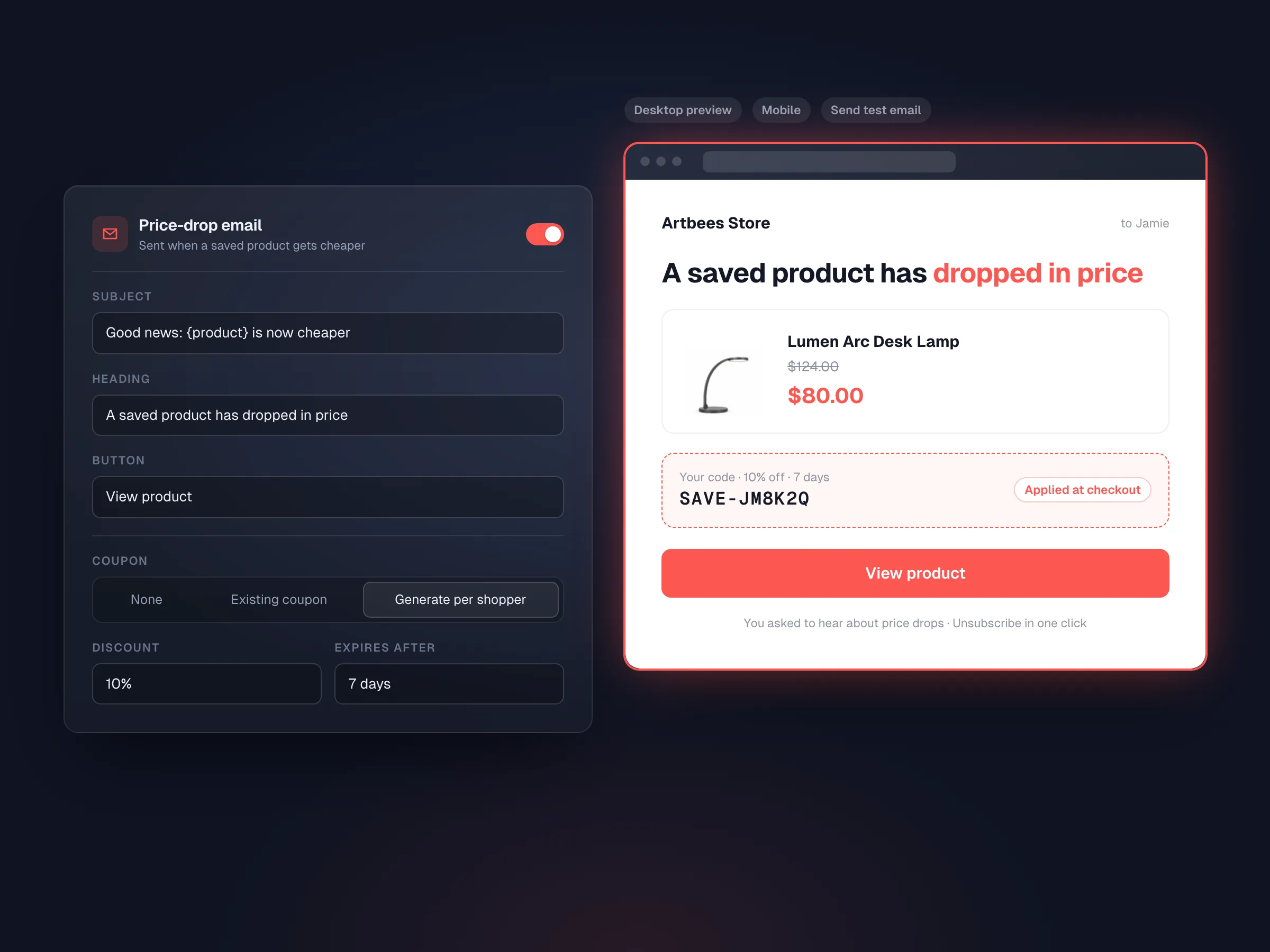
03Emails & coupons
A structured editor with desktop and mobile previews and a test send.
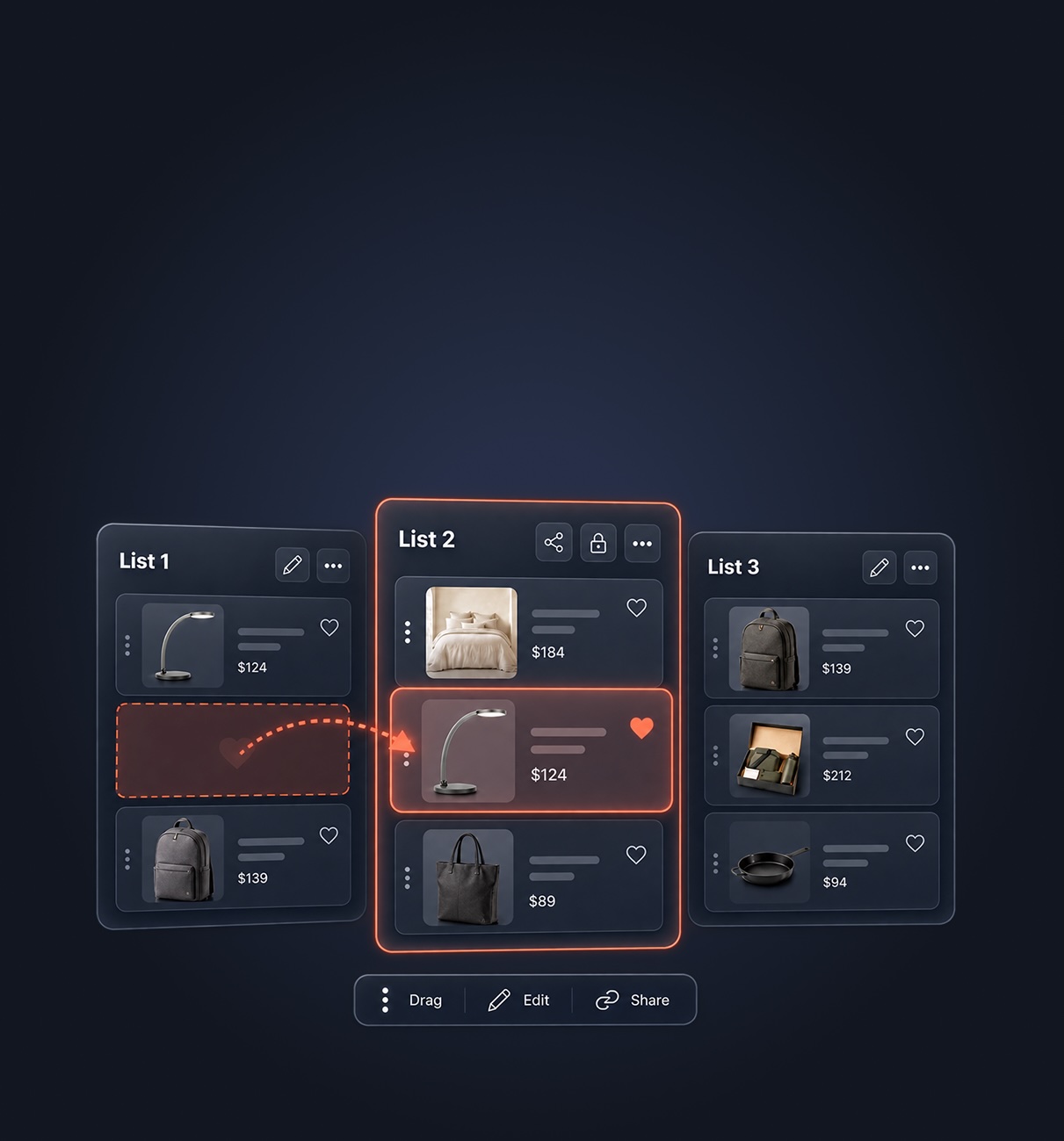
04Lists
Notes, quantities and a running total on every list.
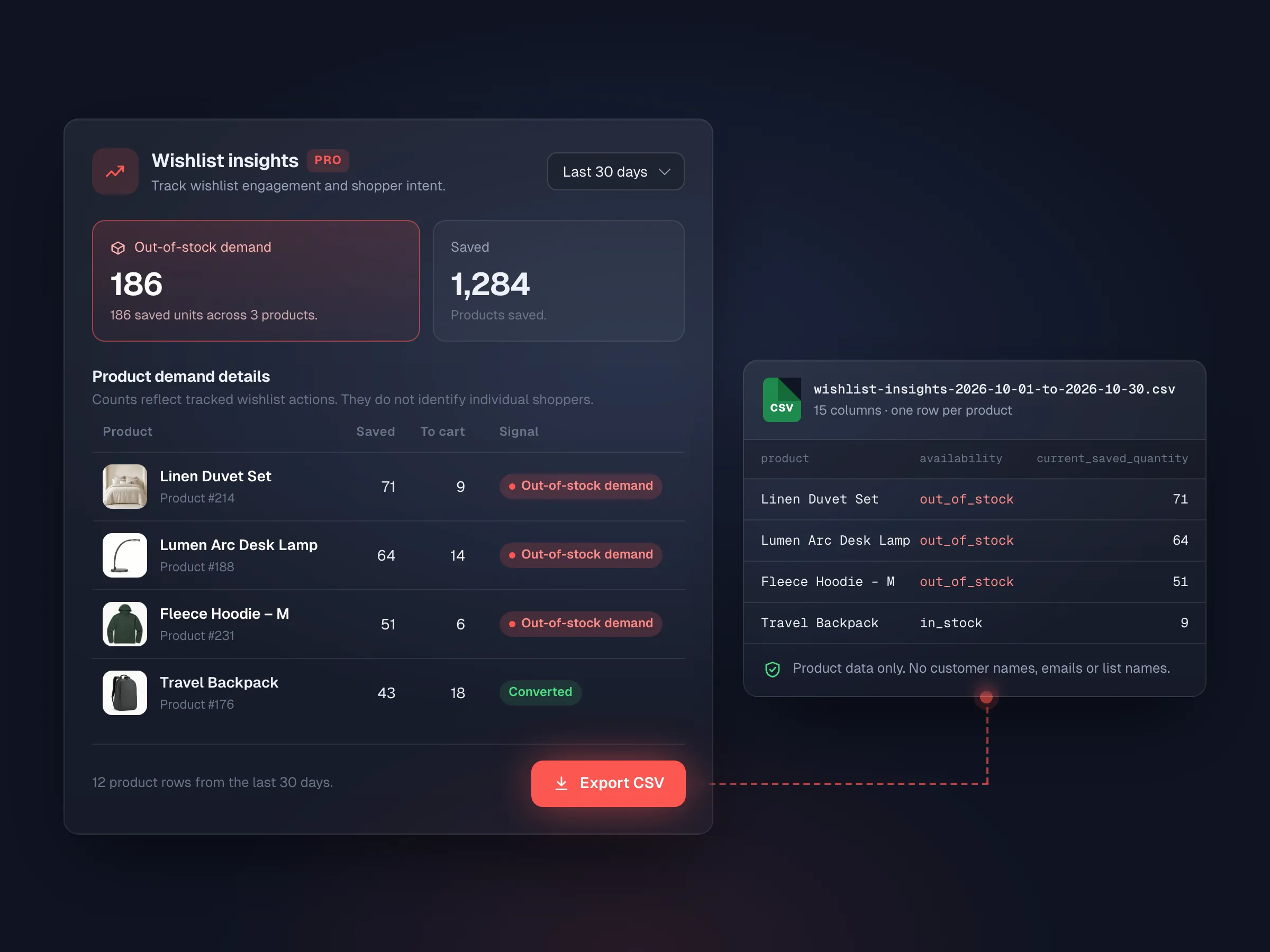
05Demand
See how many units shoppers saved of products that are out of stock.
Private, shared-link or public lists, with links that expire after 7 to 365 days.
Signed one-click unsubscribe, a send log, and frequency caps you can change.
The CSV holds product data only: no customer names or emails.
Install Pro next to Free; lists, settings and design stay put.
Only Pro features pause. The Free wishlist keeps working.
Plans differ only by site count and license term.
Free vs Pro
All Pro plans include the same Pro features and differ only by site count and license term.
| Feature | Free | Pro |
|---|---|---|
| Core wishlist experience | ||
| Product-page & shop buttons | Included | Included |
| Wishlist drawer | Included | Included |
| Guest wishlist & login merge | Included | Included |
| Wishlist page & My Account | Included | Included |
| Add one, selected or all to cart | Included | Included |
| Lists & sharing | ||
| Unlimited named lists | Included | Included |
| Revocable share links | Included | Included |
| Public links & link expiry | Not included | Included |
| Notes, quantities, move & reorder | Not included | Included |
| List totals & duplicate list | Not included | Included |
| Feature | Free | Pro |
|---|---|---|
| Compatibility & migration | ||
| Blocks, Elementor, Jupiter X & shortcode | Included | Included |
| Same-site YITH importer | Included | Included |
| Merchant intelligence | ||
| Wishlist health totals | Included | Included |
| Insights dashboard | Not included | Included |
| Wishlist → cart & order reporting | Not included | Included |
| Out-of-stock demand & CSV export | Not included | Included |
| Alerts & communication | ||
| Price-drop & back-in-stock alerts | Not included | Included |
| Email editor & optional coupons | Not included | Included |
| Consent, unsubscribe & send log | Not included | Included |
Compatibility & migration
Use Artbees Wishlist with WooCommerce, Gutenberg blocks, Elementor and Jupiter X, or bring over your YITH wishlists on the same store.
New to wishlists? Follow our WooCommerce wishlist setup guide for installation, placement and product-variation checks.
Compatibility
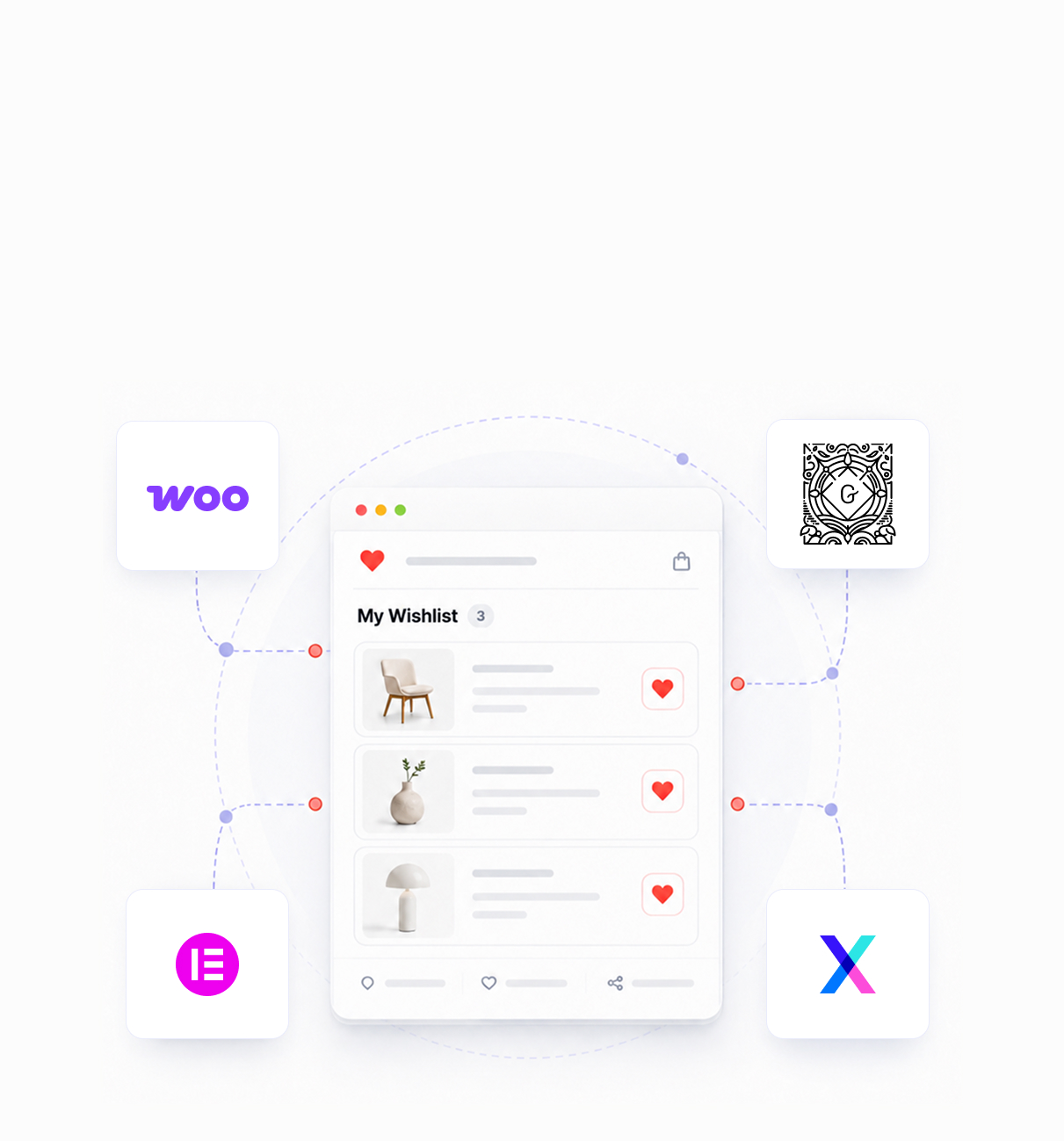
Blocks, three Elementor widgets, Jupiter X, and shortcodes for everything else. Saved state loads after the page, so caching keeps working.
Migration
Scan and preview before any data changes, then import with progress, logs and safe reruns on the same store.
Pricing
Every Pro plan includes every Pro feature. Just choose your site count and license term.
$29 / year
Billed yearly
$70 / year
$14/site/year
$100 / year
$4/site/year
$100 one-time
$100/site
$200 one-time
$40/site
$300 one-time
$12/site
$500 one-time
For agencies and high-volume stores
Comparison
Comparison based on publicly available product information, reviewed August 2026. Features and pricing may change; check each provider website for current details.
| Feature | Artbees Wishlist | YITH | TI WooCommerce Wishlist | SaveTo Wishlist | MoreConvert | Essential Wishlist | WooCommerce Wishlists |
|---|---|---|---|---|---|---|---|
| Multiple lists in Free | Included | Paid only | Paid only | Included | Paid only | No free plan | No free plan |
| Number of lists in Free | Unlimited | 1 default list | 1 default list | Unlimited | 1 wishlist | No free plan | No free plan |
| Side drawer or drawer-like flow | Included | Paid only | Limited | Limited | Limited | Included | Not included |
| Add selected/all items to cart | Included | Paid only | Included | Included | Included | Limited | Included |
| Analytics dashboard | Included | Included | Included | Included | Included | Not included | Limited |
| Price or stock alert workflows | Included | Included | Included | Included | Included | Not included | Requires add-on |
| Guest wishlist | Included | Included | Included | Included | Included | Included | Included |
| Guest wishlist merged after login | Included | Included | Included | Included | Included | — | Included |
| Product-page and archive buttons | Included | Included | Included | Included | Included | Included | Limited |
| Wishlist page and My Account integration | Included | Included | Included | Included | Included | Limited | Included |
| Move products between lists | Included | Included | Included | Included | Included | Not included | Included |
| WooCommerce Blocks support | Included | Limited | Limited | Included | Limited | Limited | Limited |
| Shortcode fallback | Included | Included | Included | Included | Included | Included | Included |
| Importer from YITH available | Included | N/A | Not included | Included | Included | Not included | Not included |
| 1-site premium price | $29 / yearLifetime: $100 | €99.99 / yearLifetime: Not offered | $79 / yearLifetime: Not offered | $49.50 / year*Lifetime: Not offeredRenews at $99/year | $89 / yearLifetime: $209 | $49 / yearLifetime: Not offered | $89 / yearLifetime: Not offered |
✓ Supported · ✗ Not offered · — Not clearly documented/verified. “Paid only” is shown where Free-tier availability is relevant. “Limited” means partial coverage. “Requires add-on” means a separate product is required. Pricing is for a single-site license and was checked in August 2026. SaveTo’s $49.50 price is introductory and renews at $99/year. Prices and displayed currencies may change by vendor, region or promotion.
Built by Artbees
Artbees Wishlist comes from the team behind Jupiter X, SellKit, Growmatik and WPDone, backed by established licensing, updates and support.


 Now part of Convesio


FAQ
Product and shop save buttons, a side drawer, a wishlist page and My Account tab, unlimited named lists for logged-in shoppers, one guest list with login merge, add-to-cart actions, revocable share links, a Style tab with live preview, Blocks, Elementor and Jupiter X support, the same-site YITH importer, and privacy tools.
Guests can save to one temporary list in their browser. It expires after the number of days you set (30 by default). If the guest logs in or registers, their saved items move into their account.
No. Pro is an add-on that runs on top of Free and WooCommerce. Your existing lists and settings stay in place.
Gutenberg and WooCommerce Blocks, Elementor (three widgets), Jupiter X, single-product and product-loop templates, and shortcodes and WooCommerce hooks for classic themes. Saved state loads after the page, so page caching keeps working.
Yes. The importer is designed for same-site YITH migrations using existing product and variation IDs, with preview, progress, logs and retry-safe behavior.
Logged-in shoppers who save a product can turn on alerts after confirming consent. When the price drops or the item is back in stock, Pro queues an email. You control the content, sender, frequency and an optional coupon. Shoppers can unsubscribe in one click or manage alerts in My Account.
No. Alerts need a logged-in customer account, so emails only go to store accounts that have given consent.
Reports are based on wishlist events, and the CSV export contains product-level data only, with no customer names or emails. Free and Pro both support WordPress personal-data export and erase.
Pro features pause and the Free wishlist keeps working, so lists, buttons and the drawer stay live for your shoppers.
Yearly licenses include updates and premium support while your subscription is active. Lifetime licenses include lifetime updates, plus 1 year of premium support from the date of purchase.
Start with a generous Free wishlist. Add Pro when you want alerts, insights and better list tools.
Website builder

Jupiter X
Build any WordPress or WooCommerce site, with fewer plugins.
WooCommerce plugins
 SellKit
Funnels, checkouts and order bumps
 Request a Quote
Quotes that turn into orders
Wishlist
Wishlists shoppers come back to
 Product Tabs
Reusable tabs for product pages
 Lead Time
Shipping and delivery promises
 Gift Cards
Gift cards that pay like money
Services

WPDone
WordPress experts who design, build, migrate and maintain sites, under your brand or ours.
Website builder
Jupiter X
WooCommerce plugins
SellKit
Request a Quote
Wishlist
Product Tabs
Lead Time
Gift Cards
Services
WPDone
All products


