01Rules
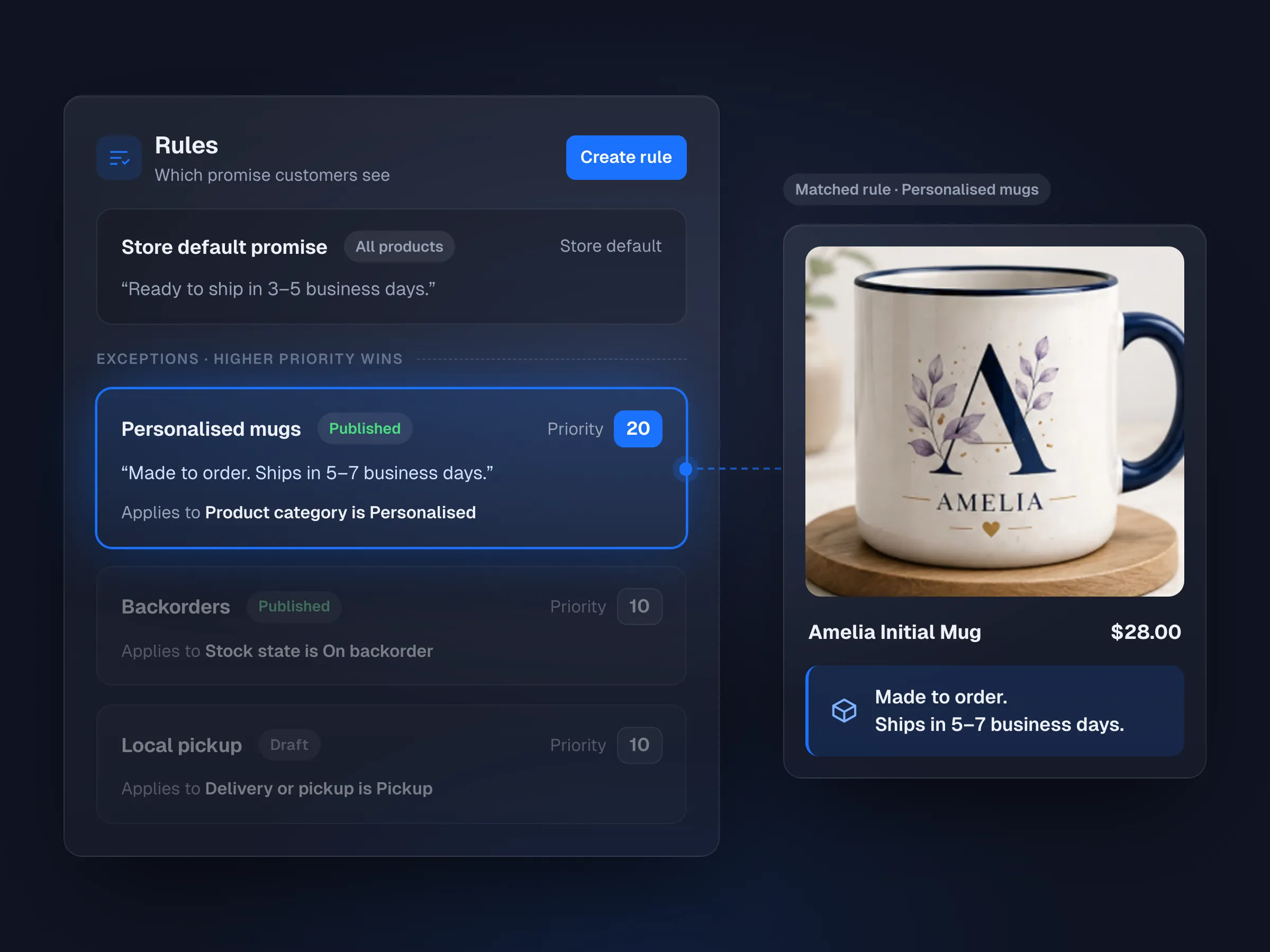
One default, then exceptions where needed
A storewide promise, with rules only where they apply.
- Product, category, stock, shipping method or country
- Product and variation overrides
- Priority, conflict warnings and a preview


Lead Time for WooCommerce
Show readiness, dispatch, pickup and delivery promises based on your real working days, cutoffs and shipping, from the product page to the order email. Start with one storewide message, then add rules where products need a different answer.
From $29/year for unlimited websites.
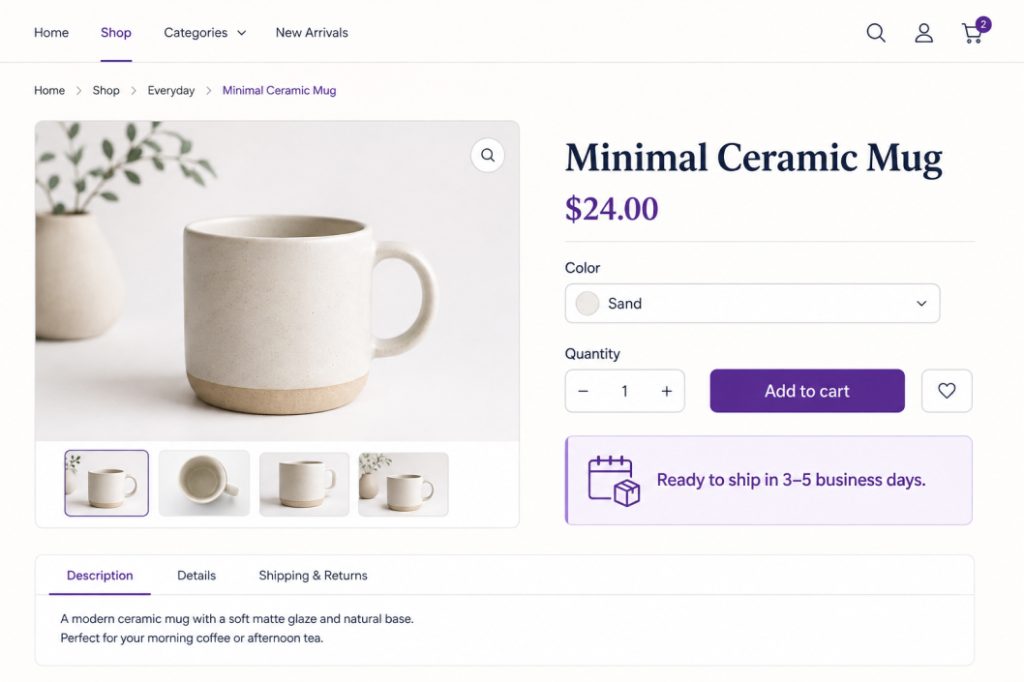
Show a useful promise where customers compare, choose and review products.
Keep a sensible default and override products and variations.
See the matched rule, calendar, cutoff and fallback before publishing.
The promise shown at purchase is saved with the order.
How it works
Watch a merchant create a default promise, add an exception, test the result, and check how the message appears across the buying journey.
Features
Lead Time counts your working days and cutoffs, shows the result wherever shoppers decide, and saves it with the order.
01Rules
A storewide promise, with rules only where they apply.
02Calendar
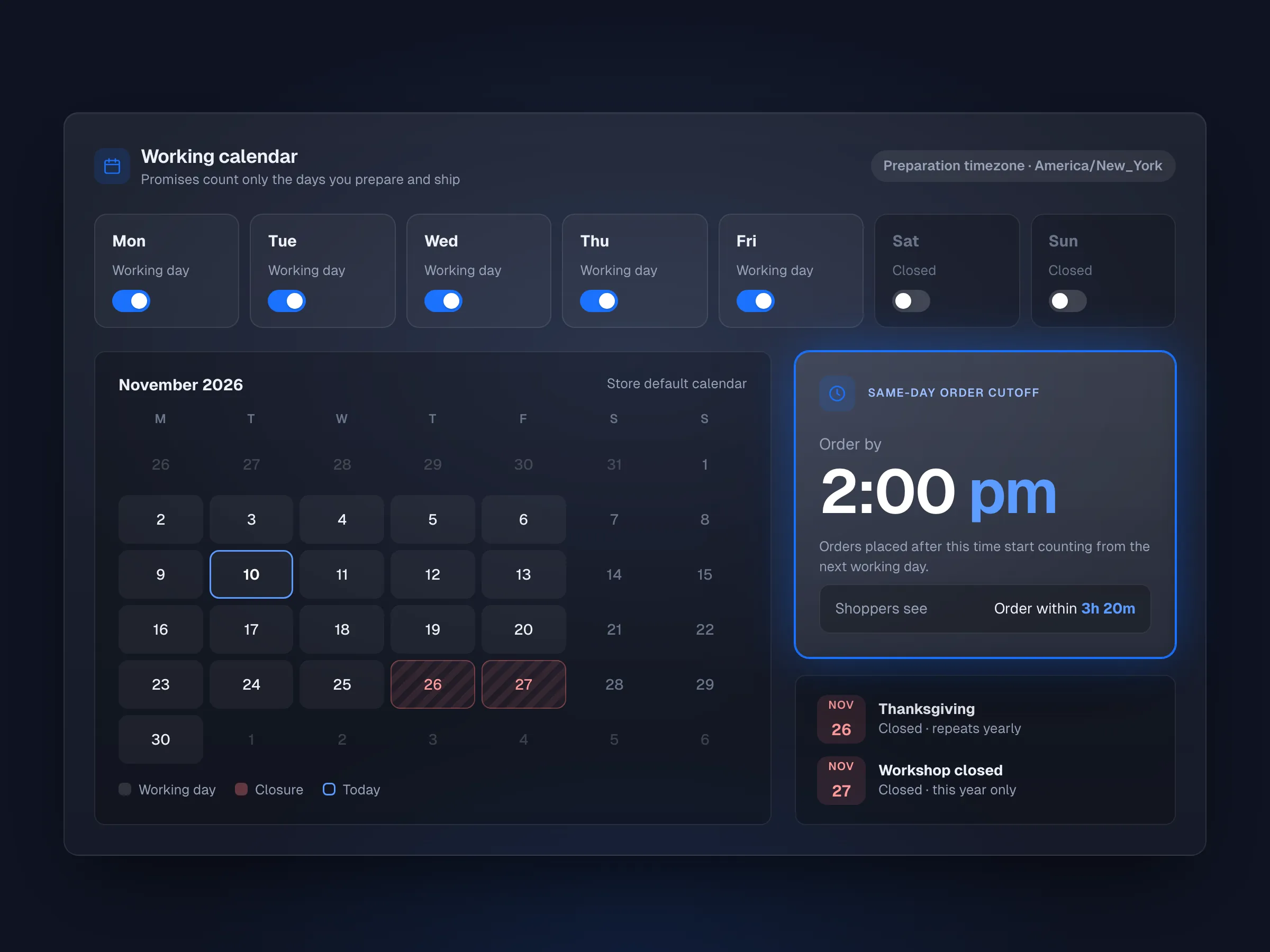
Promises count only the days you actually ship.
03Promises
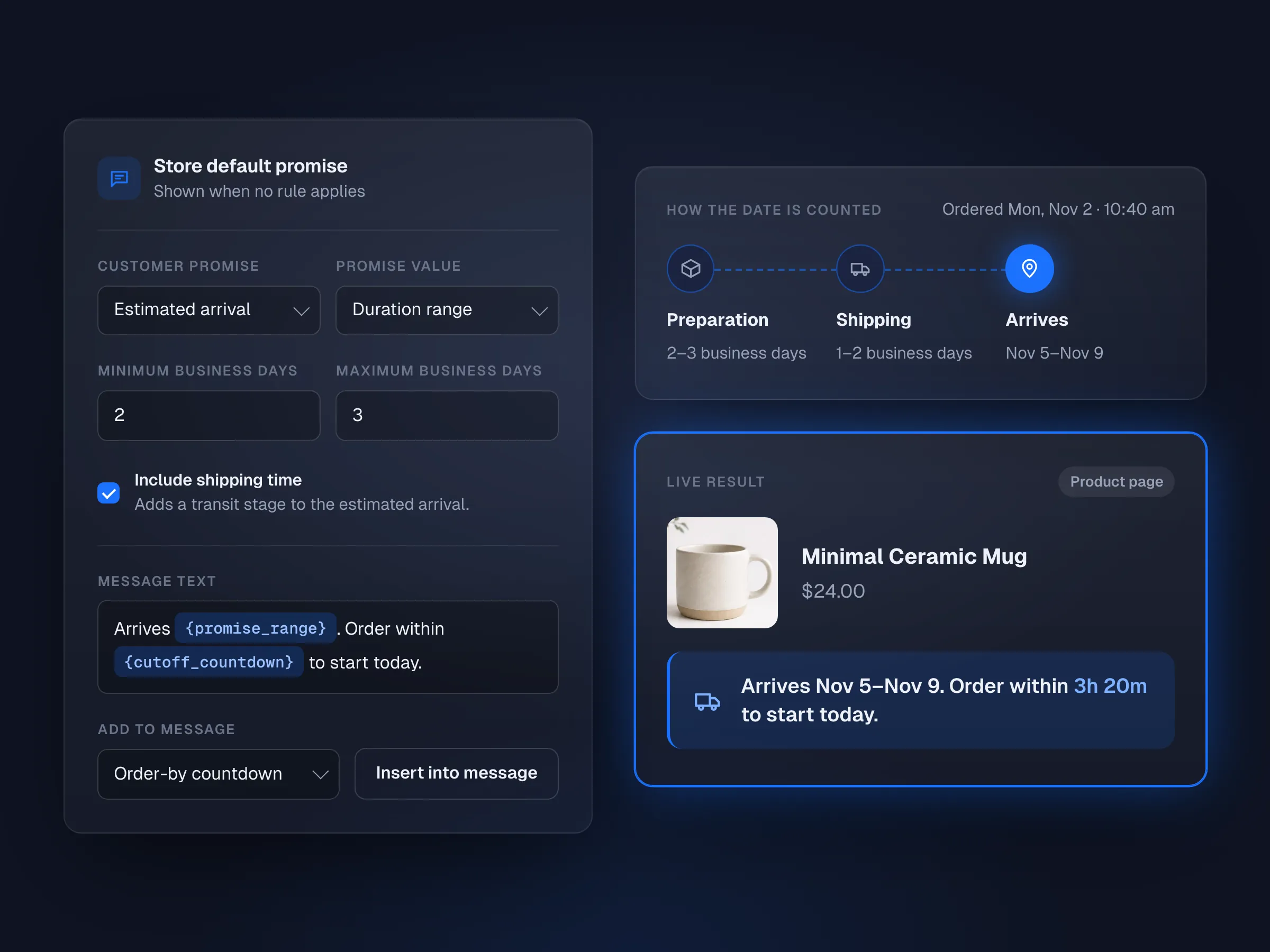
Ready to ship, available from, ready for pickup or estimated arrival.
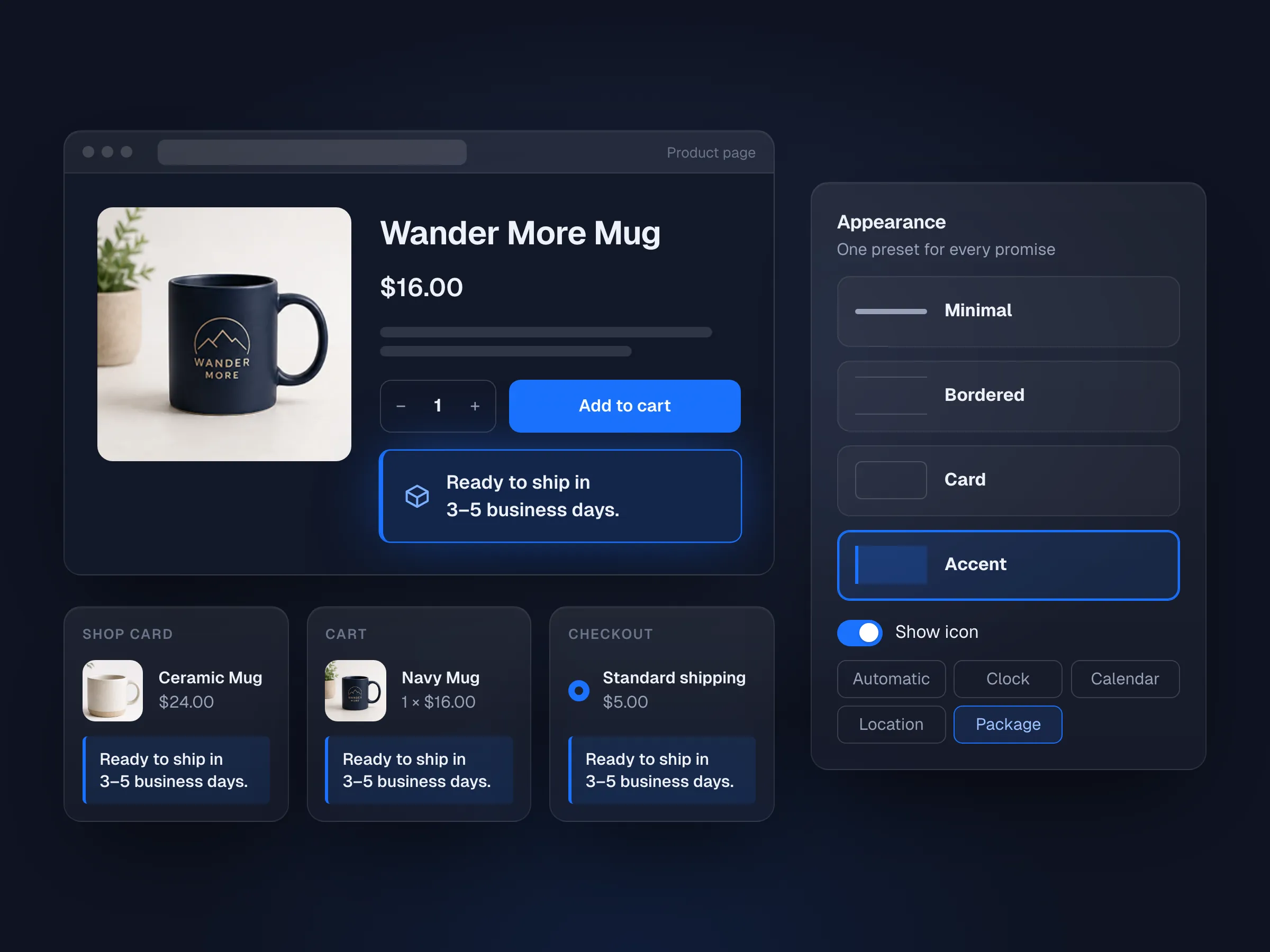
04Appearance
Product pages, shop cards, cart, checkout and shipping methods.
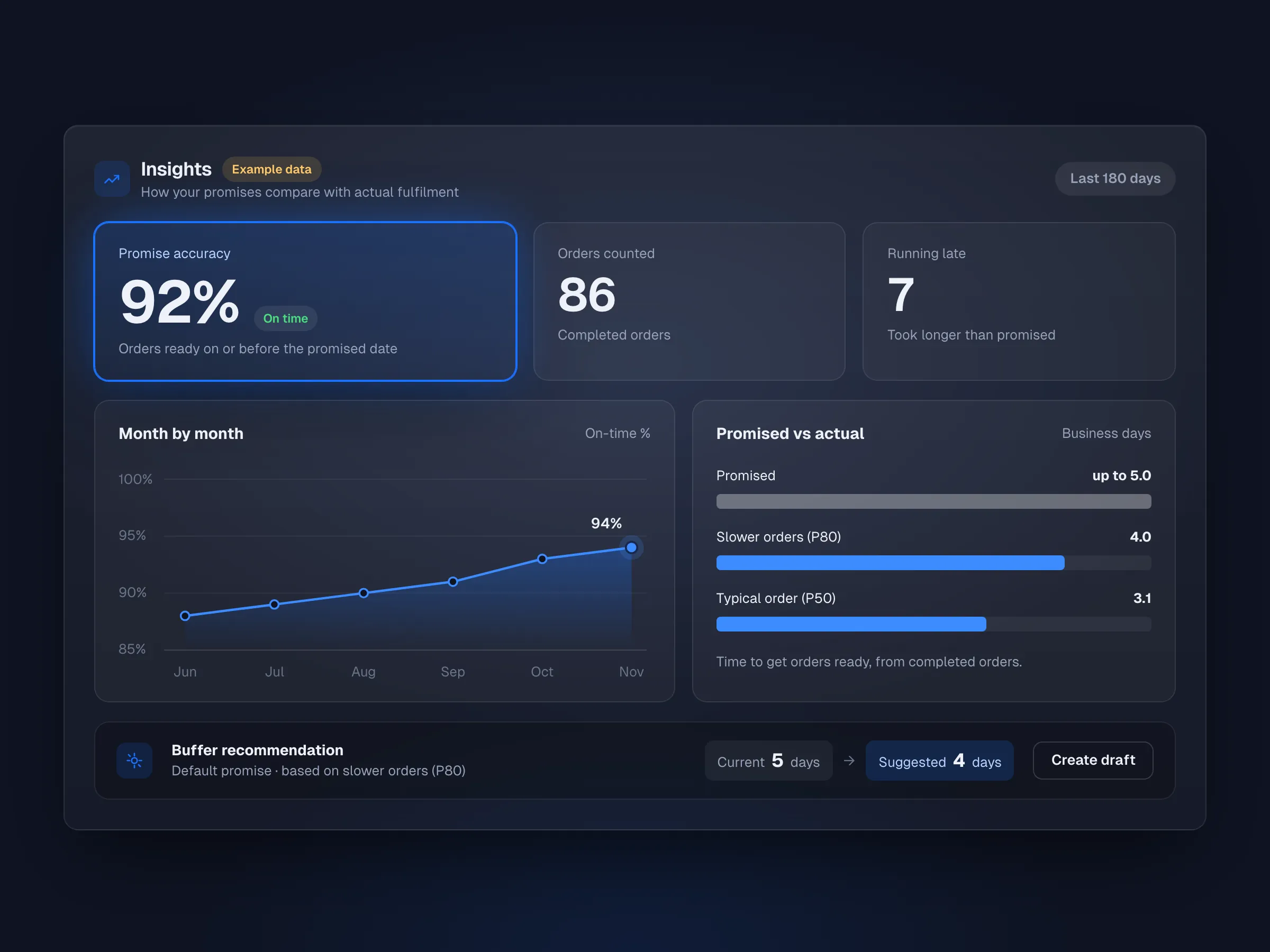
05Insights
Promised timing against actual dispatch, month by month.
Run a product, quantity, order time and destination through the engine and see how the date was calculated.
Thank-you page, My Account, order emails and the admin order show the promise from checkout.
Ship-together wording by default, or per-item timing when readiness differs.
Place the promise with a widget or [artbees_lead_time].
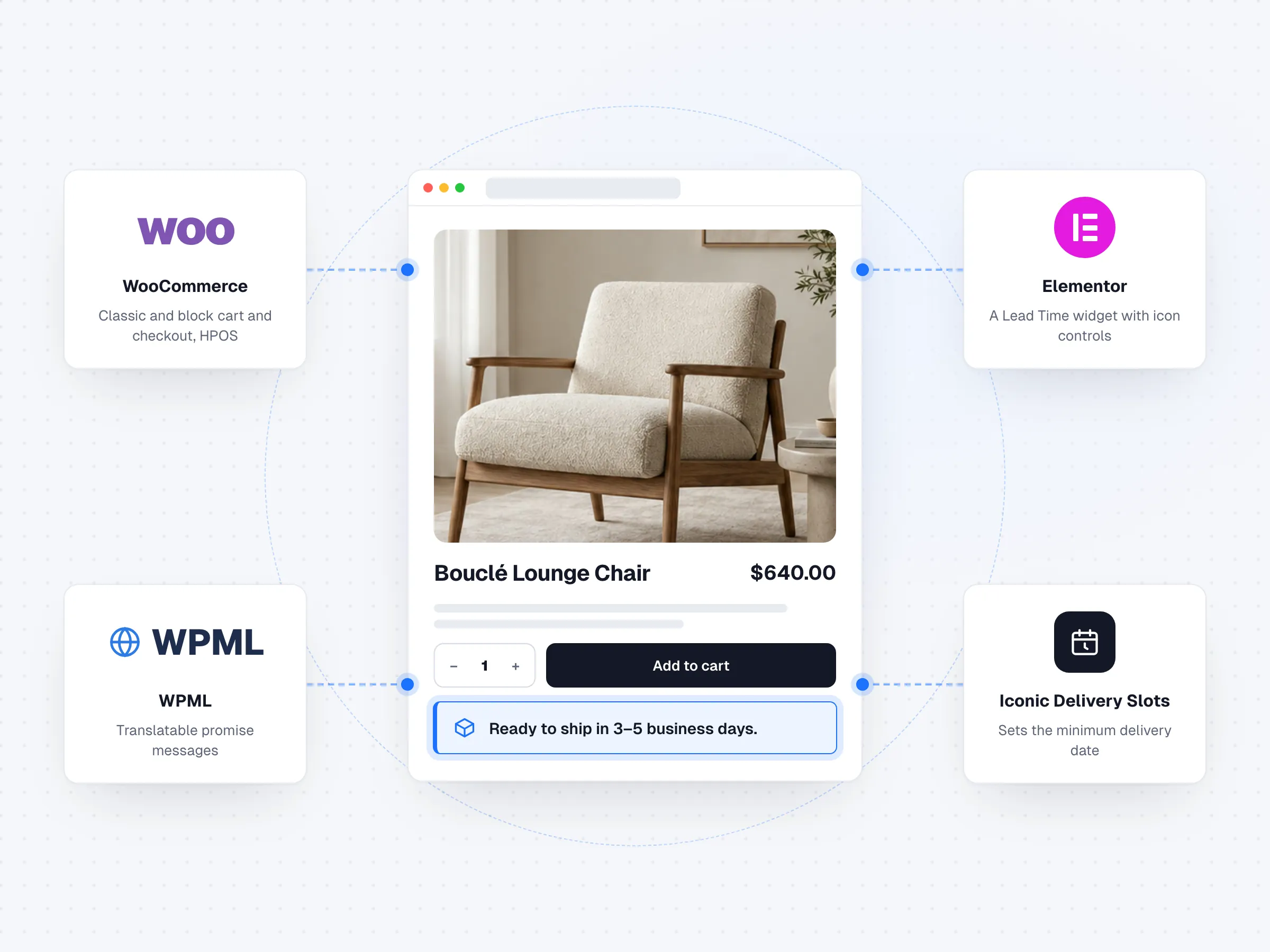
Translatable messages, and a minimum date for Iconic Delivery Slots.
Share a health check with support, with personal data removed.
Common use cases
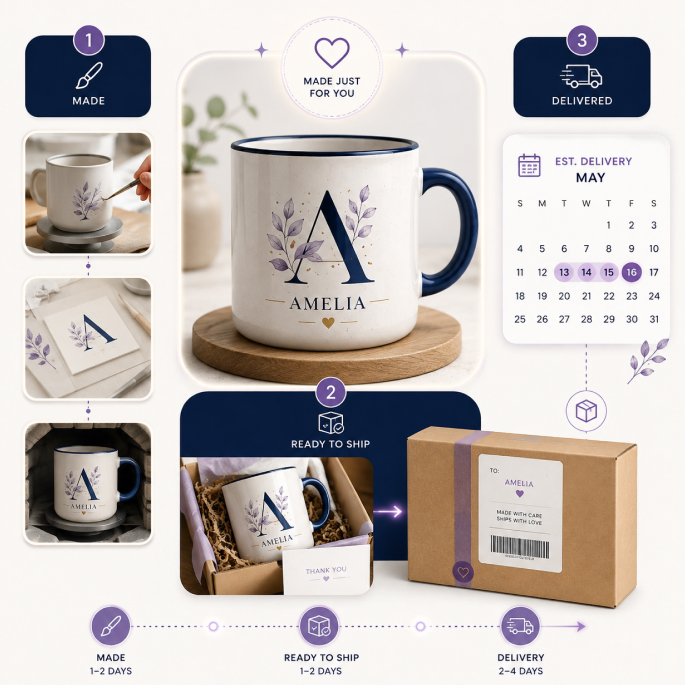
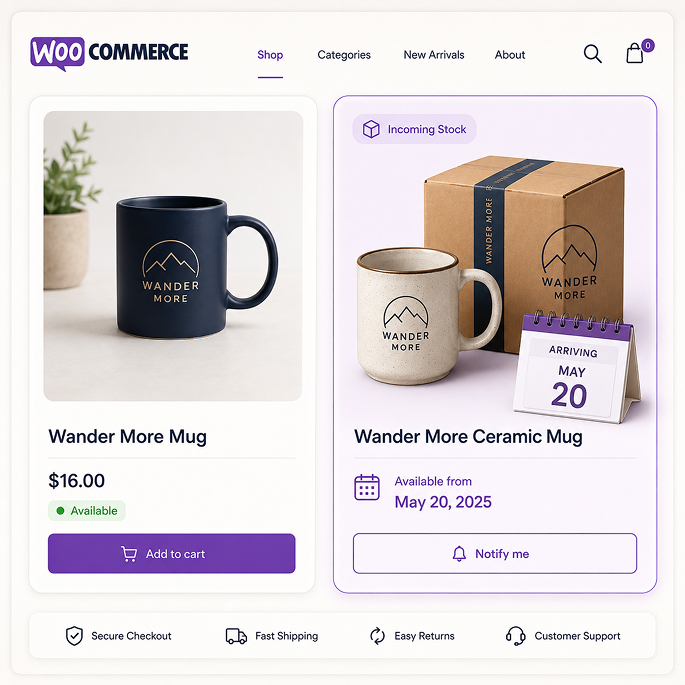
Use one clear promise for ordinary products, then add the context needed for made-to-order, backorder, pickup or delivery-based stores.
Compatibility
Lead Time works across classic and block-based buying experiences and fits the tools around your checkout.
 WooCommerceClassic and block cart and checkout, HPOS
 ElementorA Lead Time widget with icon controls
Shortcode [artbees_lead_time] and multisite network activation included.
Comparison
Simple timing messages, context-aware estimates, explainable rules, and visibility across the buying journey.
| Feature | Artbees Lead Time | Barn2 | WooCommerce Estimated Delivery |
|---|---|---|---|
| Storewide and targeted timing messages | Included | Included | Included |
| Order-relative calculation | Included | Not included | Included |
| Explain why a result applies | Included | Not included | Not included |
| Product, cart, checkout and post-purchase visibility | Included | Included | Included |
| Working calendars and cutoffs | Included | Not included | Included |
| Mixed-cart timing clarity | Included | Included | Not included |
| Price and site scope | $29/yearUnlimited sites | From $59/year1 site | $49/yearSite scope not stated |
Based on each provider’s public product pages. Features and prices may change; check each provider for current details.
Pricing
Choose the license term that fits your store or agency workflow. Both plans cover unlimited websites.
$29 / year
Billed once a year
$99 one-time
One-time payment
15-day money-back guarantee


FAQ
Yes. Set a storewide default, then add rules, or product and variation overrides, where needed.
Yes. Set working days and a same-day cutoff, then add closures (one-off or yearly) for holidays, plus partial days and seasonal hours.
Product pages, shop and category cards, quick view, cart, checkout and shipping methods, then the thank-you page, My Account, order emails and the admin order. Each placement can be turned on or off.
Yes. Promises show in both the classic and block cart and checkout.
Nothing changes on that order. The promise shown at checkout is saved with it.
WordPress 6.8+, WooCommerce 9.8+ and PHP 8.1 or newer.
Lead Time needs an active license to run. If a yearly license expires, promises stop showing until you renew. A lifetime license avoids this.
There is no Free edition. Both plans cover unlimited websites. Lifetime includes lifetime updates and 12 months of direct support, and both come with a 15-day money-back guarantee.
Built by Artbees
Artbees Lead Time is part of the Artbees WooCommerce plugin family, with a focus on practical workflows, understandable settings and dependable customer communication.


 Now part of Convesio


Website builder

Jupiter X
Build any WordPress or WooCommerce site, with fewer plugins.
WooCommerce plugins
 SellKit
Funnels, checkouts and order bumps
 Request a Quote
Quotes that turn into orders
 Wishlist
s shoppers come back to
 Product Tabs
Reusable tabs for product pages
Lead Time
Shipping and delivery promises
 Gift Cards
Gift cards that pay like money
Services

WPDone
WordPress experts who design, build, migrate and maintain sites, under your brand or ours.
Website builder
Jupiter X
WooCommerce plugins
SellKit
Request a Quote
Wishlist
Product Tabs
Lead Time
Gift Cards
Services
WPDone
All products